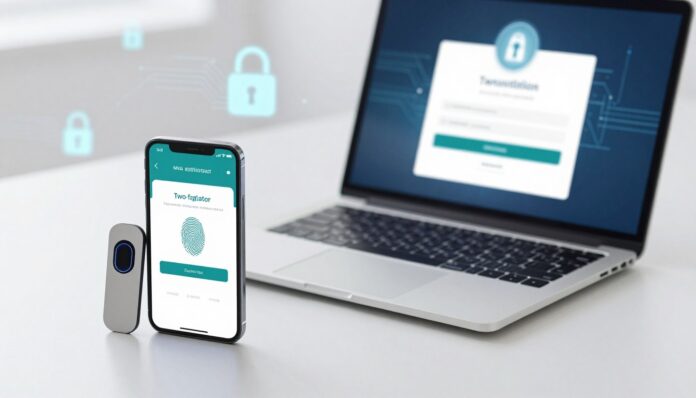
Surprising fact: compromised credentials account for about 10% of data breaches, and when combined with phishing they push common attack vectors toward 26%.
You can add a quick, effective second step to protect your accounts right now. Two-factor authentication (also called 2FA) places an extra layer between your passwords and your most important services.
This extra layer can be biometric scans, hardware keys, or short expiring passcodes from an app. SMS codes are common but less secure than app-based codes or physical keys.
In Italy and across the EU, pairing a password with a second step reduces identity and data exposure. You will learn which websites to prioritize and how to set up protection on your device without slowing your routine.
Key Takeaways
- Quick gains: add a second step to protect accounts in minutes.
- Prefer app codes or hardware keys over SMS for stronger protection.
- Start with email, banking, and work accounts to cut risk fast.
- Setup is straightforward and helps prevent access from leaked passwords.
- 2FA supports compliance and better identity governance in Italy.
Understand What Two-Factor Authentication Is and Why It Matters
A second verification method makes it much harder for intruders to gain access to your accounts. In practice, you combine a password with a different form of proof so a stolen credential alone won’t grant entry.
The basics: password plus a second factor to verify your identity
Most systems require something you know (a password) and something you have (a code on your phone) or something you are (biometrics). This process reduces the chance of account takeover.
Real-world example: ATM card and PIN
Think of an ATM: your card is possession and the PIN is knowledge. That classic example shows why using different types matters more than repeating the same type.
Present-day risks: phishing, brute force, and credential theft
Today, phishing pages, keyloggers, and automated brute-force attacks steal passwords at scale. Adding a second form of verification stops many common attacks.
- Note: SMS text codes are common but can be intercepted or cloned.
- Tip: Choose app codes or hardware keys for stronger security.
How two factor authentication Works Step by Step
Understanding each stage of the login process makes setup and troubleshooting easier. Below is a clear, practical walkthrough so you know what to expect when you enable protection on accounts used in Italy and beyond.
Login flow: password, prompt, and verification code or approval
You begin by entering your username and password. The system then asks for a second proof, such as a short code or a push approval on your phone.
This extra check blocks many attacks because a stolen password alone won’t grant access. Users often pair email and banking accounts first for fastest risk reduction.
Time-based one-time passwords vs. push notifications
With an authenticator app, a shared secret is set up via QR code, and the app shows a new code every 30–60 seconds. These codes work offline after pairing and are hard for hackers to intercept.
Push notifications let you approve or deny sign-ins from a mobile prompt. They are faster, but you must avoid approving unexpected prompts.
What happens behind the scenes: tokens, timers, and trust
When you enter a code, the server checks that it matches the expected token for the current time window. If the values align, the system grants access.
SMS messages deliver codes over the mobile network and are convenient, but they can be vulnerable to SIM cloning. Use app-based codes or hardware keys for high-risk accounts.
- Mix methods by risk: app codes for banking, push for productivity tools.
- Keep recovery options secure so attackers cannot bypass the second step.
Know Your Authentication Factors: Knowledge, Possession, Inherent, Behavioral
Different verification types protect your account in distinct ways—know which ones matter most for your data.
Knowledge factors
What you know includes passwords, PINs, and security question answers. These are easy to use but often targeted by phishing and brute-force attacks.
Possession factors
What you have covers apps that generate codes, SMS OTPs, and hardware tokens like USB keys. An app or token makes an attacker need a physical or paired device to succeed.
Inherent factors
What you are uses biometrics such as fingerprints and face ID. Biometrics are hard to fake, but breaches are severe because you cannot change your fingerprint like a password.
Behavioral and adaptive
Modern systems track patterns—IP ranges, device reputation, or typing rhythm—to raise checks when something looks unusual. This hidden layer helps stop automated attacks.
| Type | Example | Strength | Risk |
|---|---|---|---|
| Knowledge | Passwords, PINs | Convenient | Phishing, brute-force |
| Possession | Authenticator app, SMS, USB key | Strong with token or app | SIM cloning (SMS), loss of device |
| Inherent | Fingerprint, Face ID | Strong, user-friendly | Biometric breach, privacy |
| Behavioral | Device reputation, location | Adaptive, silent | False positives, complexity |
Tip: Avoid pairing two knowledge types. Pair a password with a possession or inherent method to protect your identity and reduce theft risk.
2FA vs. MFA vs. Passwordless: What You Should Use
Deciding between layered checks and passwordless logins depends on how attackers could target your services.
For most personal accounts, two-step protection balances security and convenience. It reduces risk for email, social, and shopping accounts without much friction.
When 2FA is enough and when MFA adds needed protection
Use stronger multi-step methods when accounts hold sensitive information or control payments.
High-risk roles—admins, finance staff, or those handling personal data—should adopt MFA with an extra layer or a hardware token.
Passwordless options with passkeys and security keys
Passwordless approaches remove knowledge-based logins and rely on device possession or biometrics.
Passkeys built on FIDO public-key cryptography are phishing-resistant and increasingly supported by major platforms.
- Example: pair a hardware token with a device biometric for admin access.
- Security keys resist man-in-the-middle attacks better than SMS or basic app codes.
- Check regulations: PCI DSS requires MFA for payment systems; strong methods also support GDPR principles.
Start with a simple second step for everyday accounts, then plan a path to passwordless for your highest-value services.
Set Up 2FA on Your High-Priority Accounts
Protect high-value accounts first by activating an extra verification method in each site’s security menu. Start with email, banking, cloud storage, and social profiles used in Italy.
Where to enable it
Open the security or privacy settings on major websites such as Amazon, Facebook, Instagram, Dropbox, LinkedIn, PayPal, and Yahoo. Look for a section labeled security, sign-in, or verification and follow the prompts to enable protection.
Pair an authenticator app
Use Microsoft Authenticator, Google Authenticator, Authy, or Duo on iOS or Android. Scan the site’s QR code, then enter the generated code to confirm pairing. These apps create offline TOTPs that lower interception risk compared with text messages.
Enroll hardware security keys
Register at least one USB or NFC key for accounts that matter most. Keys resist phishing and let you regain access if your phone is lost.
Backup codes and trusted devices
Save backup codes offline and add a second device or key. Review recovery settings so attackers cannot bypass your verification step.
“Save backup codes and register multiple devices to avoid lockouts and protect access to your accounts.”
| Action | Where | Benefit |
|---|---|---|
| Enable in settings | Email, bank, cloud | Reduces account takeover |
| Use authenticator app | iOS / Android | Offline codes; lower interception |
| Register security key | Critical accounts | Phishing-resistant access |
| Store backup codes | Offline safe | Prevents lockout |
Choosing Your Method: SMS, Authenticator Apps, Push, or Hardware Tokens
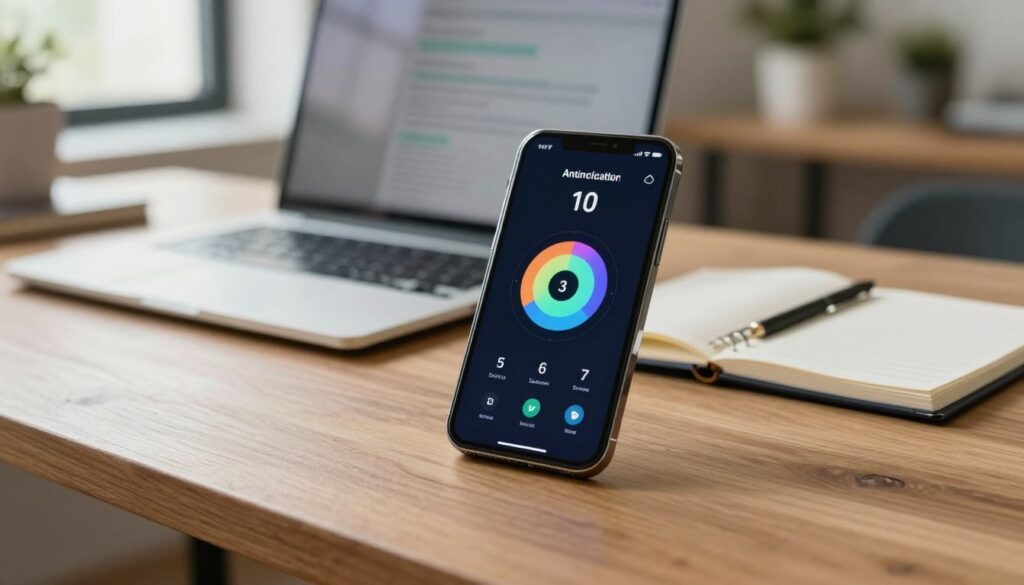
Balance convenience and protection when you pick a verification route for accounts you use in Italy. The right choice depends on how risky the account is and how often you sign in.
SMS and voice OTPs
Quick and familiar: text messages arrive fast and are easy for most users. But they are the least secure option.
SIM cloning and interception let a hacker receive codes sent to your phone. Use SMS only when no better option exists.
Authenticator apps
Apps generate time-based codes locally on your device. This removes reliance on the phone network and cuts the attack surface hackers can exploit.
Push notifications
Push notifications let you approve access with one tap. They are fast, but watch for repeated prompts that cause MFA fatigue.
Never accept a notification you did not start.
Hardware tokens
Most resistant: hardware tokens and security keys block phishing and man-in-the-middle attacks. They are ideal for admins and finance accounts.
Keep a backup method in case a device is lost or your number changes.
| Method | Convenience | Security | Main risk |
|---|---|---|---|
| SMS / voice | High | Low | SIM cloning, interception |
| Authenticator app | Medium | High | Lost phone (use backup) |
| Push notifications | High | Medium-High | MFA fatigue, rogue prompts |
| Hardware token | Low-Medium | Very high | Loss or theft of token |
Recommendation: for most users, an authenticator app gives the best balance of security and ease. Reserve hardware tokens for critical accounts and review your options periodically as platforms evolve.
Best Practices to Reduce Risk from Hackers and Cybercriminals
Start by sealing recovery paths so attackers can’t use them to bypass your safeguards. Attackers often exploit weak reset flows, so remove easy-to-guess security questions and require stronger recovery options.
Harden account recovery so it can’t bypass your protection
Disable insecure recovery questions and avoid single-device recovery that skips the second step. Use backup codes stored offline and add a hardware key or device biometric where possible.
Secure your email and phone accounts first
Your email and mobile number control many resets. Protect these with strong authentication and unique passwords so attackers cannot cascade into other accounts.
Protect devices: screen locks, updates, and anti‑malware
Keep each device patched, enable screen locks, and run trusted anti‑malware. This reduces the chance that spyware steals passwords or intercepts codes.
- Use a password manager to create and store strong, unique passwords for every account.
- Favor hardware keys or biometrics for high-value services rather than relying on SMS when possible.
- Watch for unexpected login prompts or codes and treat them as warnings someone may be probing your access.
- Train users in your household or team about social engineering and prompt fatigue so they never approve unrequested access.
“Lock recovery flows, secure your primary email and phone, and harden devices to stop attackers from turning one breach into many.”
Compliance, Identity Access, and Business Impact in Italy and the EU
Regulators and auditors increasingly expect robust identity controls across corporate systems. Meeting these expectations reduces breach risk and shows you take data protection seriously.
Meeting IAM goals and reducing breach risk today
Implementing strong authentication helps your organization meet identity access objectives. It lowers the chance that compromised passwords alone let hackers in.
Use hardware tokens or biometrics for admin and remote access to raise protection where it matters most. Train users and provide clear recovery paths to avoid downtime.
How 2FA supports GDPR security principles and PCI DSS requirements
PCI DSS requires mfa for systems that handle payment card data, so adoption is mandatory in payment environments.
GDPR does not name a specific technology, but layered checks support confidentiality and integrity of information. Showing that you use strong controls helps during audits and breach response.
- Apply strong methods to admin, third-party, and remote systems.
- Track metrics like fewer account takeovers and faster detection.
- Align your roadmap with EU guidance and industry standards.
“Choosing harder-to-steal factors reduces reliance on knowledge-based controls and lowers identity theft risk.”
Conclusion
Start by protecting the accounts that hold your money and identity—doing so takes minutes and yields big returns. Enabling two-factor authentication or 2fa immediately adds a resilient layer that stops most password-based attacks.
Prefer an authenticator app like Google Authenticator, Microsoft Authenticator, Authy, or Duo for offline TOTPs. Use push notifications where speed matters, but watch for prompt fatigue. Reserve a hardware security key for your most sensitive access.
Save backup codes, register a second device or key, and never share a verification code. Strong recovery steps support GDPR goals and PCI DSS requirements for payment data.
Your next step: open security settings on email and bank accounts, scan the QR to pair the app, store backups, and enroll a key so strong authentication becomes the default for all vital accounts.
FAQ
What is two-factor authentication and why should you use it?
Two-factor authentication adds a second layer of identity verification beyond your password. By requiring something you know (a password) and something you have or are (an app, a phone, a fingerprint), it makes unauthorized access much harder for hackers and reduces the risk of identity theft and account takeover.
How does the login process work with this extra layer?
After you enter your password, the system prompts a second verification step. You might enter a time-based code from an authenticator app, approve a push notification on your phone, or insert a hardware token. Once the second factor validates, you gain access to your account.
What’s the difference between time-based one-time passwords and push notifications?
Time-based one-time passwords (TOTP) are short numeric codes generated by an authenticator app and work offline. Push notifications send an approval request to your device for you to accept or deny. TOTPs reduce reliance on network delivery, while push is faster but can be subject to fatigue attacks if misused.
Are SMS codes safe enough for protecting my accounts?
SMS codes offer convenience but carry risks like SIM cloning and interception. For high-value accounts, use an authenticator app or a hardware security key instead, and reserve SMS only as a fallback method.
What are hardware security keys and when should you consider one?
Hardware security keys are physical tokens (USB or NFC) that cryptographically verify your identity. They are the strongest option for critical accounts, such as work systems, financial services, and admin panels, because they resist phishing and remote compromise.
How do biometrics fit into this model?
Biometrics like fingerprint and face ID serve as inherent factors tied to who you are. They work well as part of a multi-layer approach, often paired with a device-based credential or passkey, and improve usability while maintaining strong protection.
What are backup codes and trusted devices, and why do they matter?
Backup codes are single-use recovery codes you store offline to regain access if you lose your device. Trusted devices let you skip repeated prompts on a personal device. Both prevent lockouts, but treat backup codes like cash and keep trusted-device settings limited to personal hardware.
How do you set this up on major websites and apps?
Visit the account security or privacy settings on each service (Google, Microsoft, Apple, banks, social platforms), choose the multi-step option, scan a QR code with an authenticator app or register a hardware key, and record backup codes during enrollment.
What should you do first to harden your accounts against cybercriminals?
Secure your recovery channels first: enable strong protection on your email and phone number, use unique passwords, and enable screen locks and updates on devices. These steps stop attackers from bypassing your extra layer via account recovery flows.
How does this support compliance with GDPR and PCI DSS in the EU and Italy?
Implementing robust identity and access controls helps meet GDPR’s security-by-design expectations and PCI DSS requirements for strong authentication. Using modern methods like hardware keys and secure MFA reduces breach risk and strengthens audit readiness.
Can you use passwordless options instead of codes or hardware keys?
Yes. Passwordless methods use passkeys or device-bound credentials to authenticate you without a traditional password. They can improve security and user experience, especially when tied to hardware-backed device security and biometric verification.
How do behavioral factors and adaptive authentication improve protection?
Behavioral signals—like typing patterns, location, and device posture—help systems adjust risk in real time. Adaptive authentication steps up verification when an event looks unusual, reducing friction for normal use while blocking suspicious attempts.
What are common pitfalls that weaken your defenses?
Reusing passwords, weak account recovery settings, relying solely on SMS, ignoring device updates, and approving unexpected push requests all undermine protection. Follow best practices and regularly review your security settings.



