Surprising fact: a change you make today may not show on Google Search for weeks, yet that tiny tweak can lift a page from obscurity to steady traffic.
You’ll learn what search engine optimization can and can’t do and how to build a realistic plan to earn visibility without paid ads. Start with helpful, people-first content and clear titles that describe your page.
Most websites are found by crawlers that follow links, sitemaps, and promotion. A clear site structure, descriptive URLs, and strong internal linking help pages get discovered and understood by search engines and users.
Keep expectations realistic: indexing is not guaranteed and impact timelines vary. Use Google Search Console as your main tool to check indexing and track progress over time.
Key Takeaways
- Focus on useful, original content that answers real user needs.
- Expect weeks, not hours, to see meaningful changes in results.
- Make titles, URLs, and links clear so crawlers and people understand your pages.
- Use Search Console to diagnose indexing and validate fixes.
- Avoid tricks like keyword stuffing; aim for sustained quality and iteration.
What Is Search Engine Optimization and Why It Matters Today
How your pages rank comes down to clear content, helpful structure, and signals that engines trust. Search engine optimization is the practice of improving your website so it appears more prominently in organic search results for relevant topics.
Search engines evaluate relevance by matching page content to user intent. They look at headings, titles, structured text, and descriptive elements to understand what your page is about. Clear organization helps both machines and people find the right information fast.
Quality is inferred from originality, accuracy, freshness, and usefulness. A unique, well-organized page that answers a query will usually perform better than one stuffed with keywords. Avoid meta keywords and keyword stuffing; they add little and can harm trust.
Organic results vs. paid ads and credibility
Organic listings are earned through relevance and quality. Paid ads are useful in some cases, but many users trust organic links more because they reflect what engines deem most helpful.
- Make sure your content matches real search intent.
- Use clear titles, internal links, and accurate text to support claims.
- Treat optimization as ongoing: update content, refine keywords, and improve technical foundations over time.
How Google Search Works: Crawling, Indexing, and Ranking
How Google crawls and catalogs the web directly affects whether your pages appear for relevant queries. You need to know what triggers discovery and what helps a page move from the index to visible results.
Crawlers, sitemaps, and links that help discovery
Crawling is an automated process where bots follow links to find new and updated pages across the web.
Adding an XML sitemap helps the search engine find your key pages faster, especially on larger sites. It is useful but not always required.
Internal links and links from other websites speed discovery and give context that supports ranking.
From index to results page: what influences visibility
Indexing stores page text, images, and structured data so the engine can retrieve it for queries. Use the URL Inspection in Search Console to see how Google views a page and whether resources load.
| Stage | What it does | Action you can take |
|---|---|---|
| Crawl | Bots follow links to find pages | Ensure clear navigation and valid links |
| Index | Page content and data are stored | Provide unique content and structured data |
| Rank | Results are ordered by relevance and quality | Improve titles, load speed, and internal linking |
- Titles and snippets are drawn from your page content and headings; they affect click rates.
- Meaningful ranking changes take time as engines evaluate engagement and quality signals.
Make Sure Google Can Find and See Your Website
Start by confirming Google can actually find your pages—only then will your optimization work matter.
Run a quick check with the site: operator (site:yourdomain.com) to see which pages appear in search. If key pages are missing, you need to confirm there are no technical blockers before you spend time on content or keywords.
Using search tools to diagnose indexing
Set up Search Console and submit your sitemap in the Sitemaps report. Use the URL Inspection tool to see how Google renders a page and whether CSS or JS are blocked.
Fix crawl and indexing blockers
Check robots.txt, noindex tags, canonical tags, redirects, and hreflang. Make sure your most important pages are linked from navigation, the sitemap, and hub pages so the engine discovers them.
| Issue | What it means | Action |
|---|---|---|
| Missing pages | Not indexed via site: check | Submit sitemap; inspect URLs |
| Blocked resources | CSS/JS not rendered | Allow in robots.txt; re‑inspect |
| Crawled but not indexed | Discovered or crawled status | Fix thin content; improve internal links |
| Low‑value pages indexed | Crawl budget wasted | Use noindex or disallow rules |
- Validate indexing data and monitor Indexing > Pages over time.
- Confirm canonical, redirect, and link structures point to your preferred page.
- Check Search Console after major changes so issues surface quickly and you save time.
Organize Your Site Structure and URLs for Users and Engines
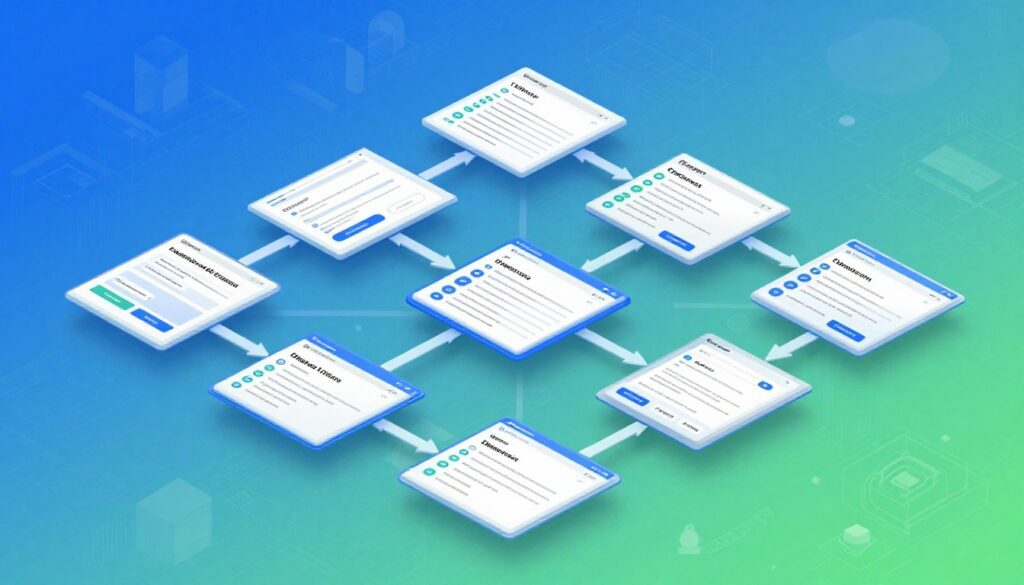
A clear site structure and predictable URLs help users and engines understand how your pages relate.
Start by grouping related pages into topical directories so visitors and crawlers see logical pathways. Use directories like /pets/cats/ rather than scattered files. This makes content discovery and maintenance easier.
Write descriptive URL slugs with meaningful words and hyphens. Avoid numeric IDs that tell nothing on the results page. Keep conventions consistent: lowercase, hyphenation, and no unnecessary stopwords.
Implement breadcrumb navigation and, when helpful, add structured data to influence how breadcrumbs display in search. This improves scannability and gives users clear context.
- Consolidate overlapping content and use 301 redirects or rel=canonical for unavoidable variants.
- Keep one canonical URL per piece of content to avoid diluted signals.
- Organize evergreen sections (e.g., /policies/) separate from frequently updated areas (e.g., /promotions/).
Align titles, H1s, and on‑page text with URL topics and add internal links so authority flows to priority pages. Review your navigation to keep main categories one or two clicks from the homepage and document URL rules for consistency.
Keyword Research Basics: Find the Terms Your Users Search
Start keyword research by listing the main topics your audience uses when they look for products or answers. This gives you seed keywords that reflect real language and intent.
Seed keywords, search intent, volume, and difficulty
Begin with a handful of seed keywords tied to your services and typical user questions. Use a reliable tool to expand each seed into related terms and phrases.
Prioritize relevance first: target terms you can serve well. Then compare search volume and keyword difficulty to set realistic targets.
Analyze intent by reviewing the top results and SERP features. Are people looking for information, to buy, or to find a page? Match your content to that intent.
Identifying low-competition opportunities to rank faster
Look for low-competition keywords that align with your strengths. These can drive early traffic while you build authority for harder terms.
- Cluster related keywords under one topic to avoid cannibalization.
- Map primary and secondary keywords to specific pages and headings.
- Document why each term matters—intent and business value—so content stays focused.
| Step | What to check | Action |
|---|---|---|
| Seed | User language, product names | Brainstorm and list 10–20 seeds |
| Expand | Related phrases and questions | Use a keyword tool and SERP review |
| Prioritize | Relevance, volume, difficulty | Rank opportunities from easy to stretch goals |
| Validate | Actual queries showing impressions | Use Search Console to refine targets |
Track and revisit your list regularly. Trends, competition, and site authority change, so keep a steady pipeline of easy wins and long-term goals.
Match Search Intent: Create Helpful, Reliable, People‑First Content
Identify the goal behind each query to shape pages that serve people, not just algorithms.
First, classify intent as informational, navigational, commercial, or transactional. That tells you whether to write a guide, a product comparison, a how‑to, or a checkout page.
People expect clear answers. Use headings, short paragraphs, and lists to make information scannable. This improves the user experience and keeps visitors on your site.
Demonstrate quality with accurate facts, expert quotes, and timely updates. Cite sources when possible and show practical next steps: internal links, CTAs, or related pages.
- Match content format to intent: guides for information, pages for purchase decisions.
- Avoid keyword stuffing; use related terms naturally to cover a topic comprehensively on one page.
- Measure success by engagement and conversions, not just visits.
| Intent | Best page type | Key signals of quality |
|---|---|---|
| Informational | How‑to or guide | Clear steps, sources, up‑to‑date facts |
| Navigational | Landing or brand page | Accurate contact, easy navigation |
| Commercial | Comparison or review | Neutral pros/cons, expert input |
| Transactional | Product or checkout | Fast load, trust signals, simple CTA |
“Create content that answers the user’s question fully and points to the next logical step.”
On‑Page SEO Essentials: Titles, Meta Descriptions, and Headings
Clear titles and accurate previews make people click and help search engines judge what your page offers.
Write one unique, descriptive title tag per page that matches intent. Keep it concise and place the primary keyword near the front. Standardize length across your websites so titles remain readable on the results page.
Draft concise meta descriptions that summarize the page’s value in one or two lines. Use them to explain why someone should visit, and update descriptions when content changes. Remember: snippets may come from page text if the meta is absent.
Structure your page with a single H1, then H2s and H3s that break the topic into scannable parts. Align title, H1, and URL to reinforce the same topic and avoid confusing signals.
- Title: unique, intent-aligned, primary keyword early.
- Meta description: clear summary, call to action when helpful.
- Headings: single H1, logical H2/H3 hierarchy, descriptive subheadings.
“Place the main point high on the page so early text can power an effective snippet.”
Optimize Page URLs, Internal Links, and Anchor Text
When links use meaningful text, visitors and search systems know what the destination page contains.
Create short, descriptive URL slugs that mirror the page topic. Clear slugs help people predict content and help search results display useful snippets.
Build an internal linking framework that routes authority from high‑visibility pages to newer or deeper content. Keep navigation lean so important pages get steady internal links.
Use descriptive anchor text instead of generic phrases. Descriptive anchors explain the target page before a click and give context to engines crawling your site.
Audit links regularly. Fix broken links or add 301 redirects to preserve trust and crawl efficiency. For untrusted external links and user‑generated posts, add rel="nofollow" (or a similar attribute) to reduce risk.
| Task | Why it matters | Action |
|---|---|---|
| URL slugs | Predictable and scannable | Keep short, hyphenated, keyword‑relevant |
| Internal links | Pass context and authority | Link from hubs to deep pages; monitor performance |
| Anchor text | Signals destination topic | Use descriptive text; avoid “click here” |
| Broken links | Damage UX and crawl flow | Audit monthly; fix or redirect |
“Contextual, descriptive links make navigation clearer and help search systems map your site.”
Above the Fold: Communicate Value Quickly
Make the first screen say exactly what your page delivers so users decide to stay in seconds.
Your title and the opening text should match the user’s intent and the page’s main keyword. Keep the promise simple and clear so users see value immediately.
Show trust signals early: short benefit bullets, a quick spec, or a testimonial. These elements help users and search results reflect the same message.
Include a prominent CTA that guides users to the next step. Avoid intrusive pop‑ups, auto‑play media, or clutter that slows load time.
- Align title/H1 and meta description so message match reduces surprises in search results.
- Prioritize asset speed — lazy‑load below the fold and keep above‑the‑fold images small.
- Give navigation cues like anchors or tabs so users jump to details fast.
Test headings, subheads, and CTA text to improve engagement. Small changes often lift results and improve the overall user experience.
Image and Video Optimization for Better Search Visibility
Visual assets that tell a clear story raise engagement and help your pages appear in image and video results.
Use high‑quality images near the text that explains them. This helps visitors and search engines see why the media matters to the content on the page.
File names should be descriptive and use hyphens, not long IDs. Add concise alt text that explains what the image shows and why it matters to the page.
Compress files and pick efficient formats (WebP, JPG, or PNG) so pages load faster on Italian networks. Keep aspect ratios consistent to avoid layout shift.
When you embed video, host it on a dedicated page with a clear title and a written summary nearby. That text provides context for viewers and improves discoverability in google search results.
| Asset | Best practice | Why it matters |
|---|---|---|
| Image | Descriptive filename, alt text, compress, use WebP | Faster load, better visual search matches |
| Video | Standalone page, descriptive title, transcript | Improves indexing and watch time |
| Placement | Near explanatory text, not decorative above the fold | Clarifies intent and boosts engagement |
| Audit | Check alt, size, and relevance regularly | Fixes reduce wasted bandwidth and improve results |
Quick checklist: write meaningful alt text, pick correct formats, place media next to contextual text, and monitor image/video reports in Search Console to guide updates.
Improve User Experience: Speed, Clarity, and Accessibility
Focus on load speed, stable layouts, and simple navigation to give users a better on-site experience. Google rewards pages that feel fast and easy to use, so start with Core Web Vitals: LCP, INP, and CLS.
Check the Core Web Vitals report in Search Console, then run PageSpeed Insights for actionable fixes. Optimize images (compress, serve WebP) and prioritize above‑the‑fold content to improve Largest Contentful Paint.
Minimize heavy scripts and defer non‑critical JS to lower Interaction to Next Paint. Reserve media dimensions, use stable web fonts, and avoid layout shifts to prevent Cumulative Layout Shift.
Make navigation clear: concise headings, predictable links, and visible focus states help users find answers fast. Follow accessibility basics—contrast, alt text, semantic HTML—so everyone can use your site.
| Issue | Primary fix | Expected outcome |
|---|---|---|
| Slow LCP | Compress images; inline critical CSS | Faster visible load |
| High INP | Defer heavy JS; reduce main‑thread work | Smoother interactions |
| Large CLS | Set width/height on media; stable fonts | No unexpected shifts |
“Treat user experience as ongoing: test, fix, and recheck with PageSpeed Insights and Search Console.”
Technical SEO Foundations: Robots.txt, Sitemaps, and Core Web Vitals
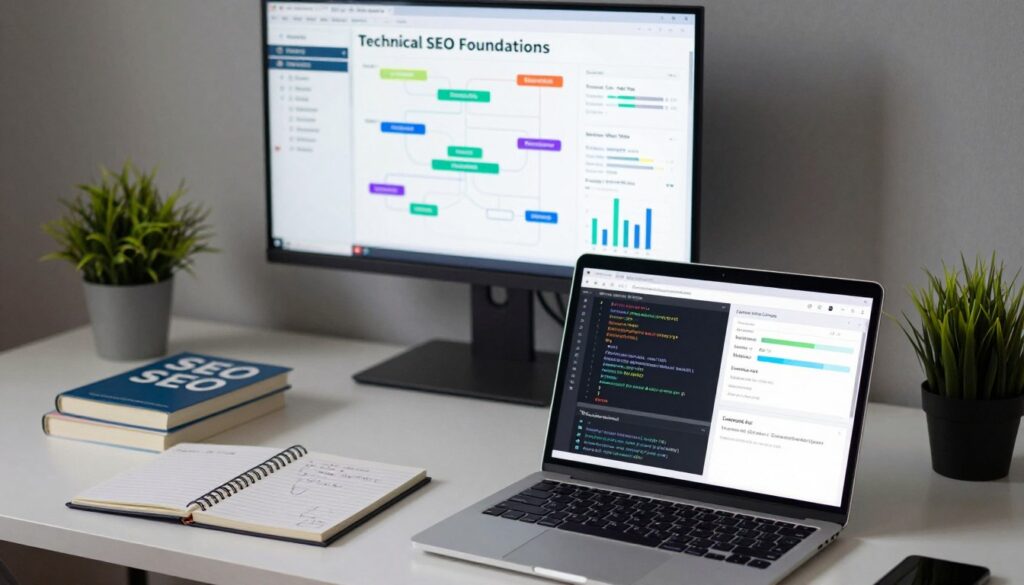
Control how crawlers explore your site so important pages are found and irrelevant areas are ignored.
Place a robots.txt at yourdomain.com/robots.txt to allow crawling of valuable pages and block admin or duplicate areas. Then generate an XML sitemap and submit it in Search Console so search engines see your priority URLs quickly.
Safely guiding crawlers with robots.txt and XML sitemaps
Configure robots.txt to permit essential crawls and to exclude staging paths or private folders. Keep URL parameters clean and avoid patterns that create infinite crawl loops.
- Submit sitemaps: update when pages are added or removed so the data stays current.
- Check server responses: monitor redirects and canonical tags to ensure the correct pages are indexed.
- Verify changes: use Search Console and server logs to confirm crawlers behave as expected under real traffic.
Core Web Vitals (LCP, INP, CLS) and practical fixes
Use Search Console’s Core Web Vitals report to find problem pages, then run those URLs through PageSpeed Insights for actionable recommendations.
| Metric | Practical fixes |
|---|---|
| LCP | Inline critical CSS, defer non‑critical JS, and serve optimized assets. |
| INP | Reduce long tasks, split bundles, and remove unused scripts. |
| CLS | Set width/height on media, avoid layout injections, and stabilize font loading. |
Monitor and maintain — keep sitemaps current, verify server responses, and recheck core metrics after changes. These steps help your pages perform better in search and make the web experience smoother for users in Italy and beyond.
Security and Mobile: HTTPS and Mobile‑First Indexing
Switching to HTTPS and optimizing for mobile are practical ways to protect users and improve how google search sees your website.
Start the HTTPS migration by installing an SSL certificate and setting site‑wide 301 redirects from HTTP to HTTPS. Update internal links, canonical tags, and your sitemap, then submit the new sitemap in Search Console.
Test for mixed‑content so browsers do not warn visitors and so every asset loads securely. Verify forms and payment templates work on the mobile version of each page.
Mobile‑first indexing means your mobile pages must contain the same primary content and metadata as desktop. Use a responsive layout and make tap targets large, text readable, and navigation simple.
- Optimize mobile performance with compressed images, minimal scripts, and efficient caching.
- Avoid intrusive interstitials that block content on phones.
- Measure impact with Core Web Vitals and real‑user metrics, then iterate.
| Task | Why it matters | Quick action |
|---|---|---|
| HTTPS migration | Protects users; modest ranking boost | Install SSL, 301 redirects, update sitemap |
| Mixed‑content check | Prevents browser warnings | Replace HTTP assets with HTTPS versions |
| Mobile readiness | Ensures pages are indexed and usable | Responsive design, readable text, tappable targets |
| Performance monitoring | Improves user experience and ranking | Track Core Web Vitals and real‑user metrics |
Promote Your Content and Build Links That Earn Trust
A steady outreach plan and better internal linking are practical ways to raise visibility and build trust for your pages.
Start with internal boosts: link from established pages to new or underperforming content. This passes authority and helps search results pick the right page to show.
Internal linking boosts and external backlinks that move the needle
List your business on reputable directories and industry associations to aid discovery and local visibility. Reach out to partners, suppliers, and members to request logical links from partner pages.
Directories, partners, and press without overdoing promotion
Create link‑worthy assets—guides, data studies, tools, and visuals—that others want to cite. Build relationships with journalists by offering timely commentary and verifiable facts.
- Use nofollow on untrusted links and ensure user‑generated content carries the right attributes.
- Monitor competitor backlinks to find realistic outreach opportunities; avoid low‑quality schemes.
- Track impressions, ranking, and referral traffic to measure real impact rather than counting links.
| Action | Why it helps | Quick tip |
|---|---|---|
| Internal links | Distributes page authority | Link from hub pages to new content |
| Directory listings | Improves local discovery | Choose niche, reputable directories only |
| Press & outreach | Earns authoritative backlinks | Offer data or expert quotes to journalists |
“Promote with value, not volume: steady, trusted links beat quick spikes.”
seo for beginners: Tools, Timelines, and How to Measure Results
Use practical tools to monitor indexing, traffic, and speed; then let data guide your next steps.
Set up Search Console first to watch indexing status, queries, impressions, and Core Web Vitals. Validate fixes and re‑submit sitemaps so Google can re‑crawl updated pages.
In GA4, go to Reports > Acquisition > Traffic acquisition and filter by the Organic Search channel. Track sessions, engagement, and conversions to see whether a page or topic drives real value.
What to track over time
- Primary KPIs: organic signups or leads and goal completions.
- Supporting metrics: impressions, CTR, average position, and page engagement.
- Technical signals: Core Web Vitals, HTTPS status, and index coverage errors.
Realistic timelines and experiments
Expect small changes in weeks and compounding gains across months. Correlate technical fixes with ranking and engagement shifts.
“Measure, test, and document: ship improvements, record outcomes, and reinvest in what works.”
| Action | What to watch | When to expect change |
|---|---|---|
| Submit sitemap / revalidate | Indexing status | Days to weeks |
| Content refresh / title test | CTR and positions | Weeks to months |
| Core Web Vitals fix | Engagement and rankings | Weeks to months |
Conclusion
,Close the loop by tracking changes, learning from data, and repeating what brings real traffic and conversions. Use Search Console and GA4 to confirm indexing and to watch how titles, meta, and content affect results.
Keep your site tidy: clear URLs, helpful internal links, descriptive image names and alt text, and accessible pages. Fix Core Web Vitals, use HTTPS, and make the mobile version complete so your website performs in Italy and beyond.
Prioritize people-first content over tricks like keyword stuffing or meta keywords. Keep testing, prune what fails, and scale pages that match intent. This practical way will grow organic visibility on google search and drive business outcomes.
FAQ
What is search engine optimization and why does it matter for my website?
Search engine optimization helps your site appear in organic search results when people look for information, products, or services. It matters because higher visibility on results pages brings more targeted visitors, builds credibility versus paid ads, and supports long-term growth for your business or project. Focus on quality content, useful site structure, and technical health to improve visibility.
How do search engines evaluate relevance and quality?
Search engines analyze signals like page content, headings, metadata, links, user behavior, and site speed to determine relevance and quality. They compare keywords and topic coverage to user queries, assess page authority via links, and use user experience metrics to gauge usefulness. Prioritize clear content, reliable sources, and fast, accessible pages to meet those signals.
What’s the difference between organic results and paid ads?
Organic results are listings ranked by relevance and authority; they don’t cost per click. Paid ads appear because advertisers bid for placements and are marked as sponsored. Organic results often earn higher trust from users, while ads give immediate visibility. A balanced approach uses both, but you should invest in content and technical improvements for sustainable organic growth.
How does Google discover and index my pages?
Google uses crawlers to follow links and read your pages. You can help discovery with an XML sitemap, internal links, and by avoiding crawl blockers. Google Search Console shows indexing status and crawl errors. Make sure pages aren’t disallowed in robots.txt and that you don’t block important content with noindex tags.
What influences my page’s visibility after it’s indexed?
Visibility depends on relevance to the query, content quality, page experience (speed, mobile friendliness), structured data, backlinks, and on‑page signals like titles and headings. Regularly update content, fix technical issues, and build links with reputable sites to improve rankings over time.
How can I check if Google can find and see my website?
Use the site: operator in Google to sample indexed pages and Google Search Console for detailed reports. Search Console shows crawl requests, index status, and errors. Fix issues like blocked resources, broken pages, or slow load times to ensure Google can access your content.
What common crawl and indexing blockers should I fix first?
Check for disallowed rules in robots.txt, accidental noindex tags, broken links, server errors (5xx), and long redirect chains. Also ensure your sitemap is current and submitted. Addressing these issues prevents crawler waste and gets pages eligible for ranking.
How should I organize site structure and URLs for users and search engines?
Use clear, descriptive URLs and a logical hierarchy with topical directories and breadcrumbs. Keep URLs short, include meaningful keywords, and avoid cryptic parameters. A tidy structure helps users navigate and helps crawlers understand page relationships.
How do I do basic keyword research to find terms your users search?
Start with seed keywords related to your topic and expand using tools like Google’s Search Console, Keyword Planner, or third‑party tools. Check search intent, monthly volume, and difficulty. Prioritize terms that match what users want at each stage of the buying or research journey.
How do I identify low‑competition opportunities to rank faster?
Look for long‑tail queries, niche topics, and questions with reasonable search volume but few authoritative pages. Analyze competitor content depth and identify gaps you can fill with helpful, original content. These pages can gain traction faster than broad, highly competitive terms.
How can I match search intent and create people‑first content?
Determine whether users want information, navigation, commercial details, or to buy. Create content that directly answers their needs: clear how‑tos and resources for informational intent, product pages and comparisons for commercial intent, and conversion‑focused pages for transactional queries. Make content reliable, well‑structured, and easy to scan.
What are on‑page essentials like title tags and meta descriptions?
Write clear title tags that include your main phrase and reflect page purpose. Craft meta descriptions that summarize value and encourage clicks without keyword stuffing. Use headings (H1, H2, H3) to break content into scannable sections and improve readability for users and search engines.
How should I structure headings for readability and optimization?
Use a single H1 for the page title, then H2 and H3 tags to organize sections and subtopics. Keep headings descriptive and concise so users and crawlers can understand the page flow. Good structure helps accessibility and improves time on page.
What are best practices for page URLs, internal links, and anchor text?
Use readable URLs with key terms, avoid excessive parameters, and keep them stable. Link internally to related pages with descriptive anchor text that adds context. Internal links distribute authority, help crawlability, and guide users through related content.
What should I communicate above the fold to keep users engaged?
Clearly state the page’s value proposition, main benefit, or answer to the user’s query immediately. Use concise headlines, prominent calls to action, and an easy path to key content. Fast loading and visual clarity reduce bounce rates and improve user signals.
How do I optimize images and videos for search visibility?
Use high‑quality assets with descriptive file names and alt text that reflect the content. Compress media to improve load times and place media near relevant text for context. For video, provide transcripts and structured data where applicable to surface in rich results.
How can I improve user experience with speed, clarity, and accessibility?
Optimize images and code, use caching and a CDN, and simplify layouts to boost speed. Write clear headings and short paragraphs for readability. Ensure accessibility with semantic HTML, alt text, and keyboard navigation to serve all users and meet search engine expectations.
What are technical SEO basics like robots.txt, sitemaps, and Core Web Vitals?
Use robots.txt to safely guide crawlers and keep private pages out of search. Maintain an accurate XML sitemap and submit it to Google Search Console. Monitor Core Web Vitals—LCP, INP, and CLS—and fix issues like slow resources or layout shifts to improve page experience.
Why do HTTPS and mobile‑first indexing matter?
HTTPS secures user data and is a trust signal for browsers and search engines. Mobile‑first indexing means Google primarily uses the mobile version of your site for indexing and ranking, so ensure responsive design, fast mobile speed, and full content parity with desktop.
How should I promote content and build links without overdoing promotion?
Earn links by creating valuable resources, pitching outreach to relevant sites, and using partners and press for visibility. Supplement with internal linking and directory listings when appropriate. Focus on relevance and trust rather than volume to avoid penalties for aggressive tactics.
What tools and metrics should I use to measure progress and timelines?
Track Search Console for queries and indexing, Google Analytics 4 for user behavior, and PageSpeed Insights or Lighthouse for performance. Monitor impressions, clicks, rankings, engagement, and Core Web Vitals. Expect measurable improvements in weeks to months depending on competition and effort.
How long does it take to see results from optimization efforts?
Results vary by site history, competition, and the work you do. Small technical fixes can show improvements in days or weeks, while content and link‑building typically take months to influence rankings. Set realistic timelines and measure progress consistently.



