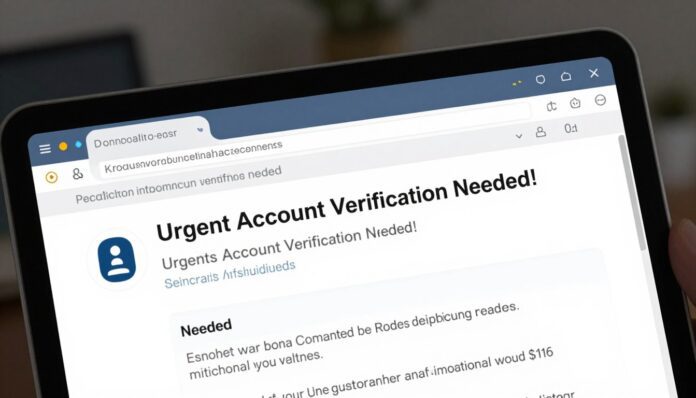
15% of data breaches start with one deceptive message, and the average breach now costs about USD 4.88M. That scale makes the human side of security urgent: people are involved in 68% of breaches.
You need clear steps to spot risky email content and shield your account and organization. Modern messages often mimic Microsoft or HR, use time pressure, and slip past filters into inboxes.
Good detection combines layered security with fast response and focused training. Adaptive, behavior-based training cuts clicks far more than basic programs and helps users act as active defenders.
In this guide you will learn practical red flags, simple verification checks, and quick actions to protect information and reduce the chance of a costly data breach.
Key Takeaways
- Recognize common signs in emails that suggest a scam.
- Act fast: faster detection limits financial and operational harm.
- Train users with behavior-based exercises to reduce risky clicks.
- Layer technical controls with clear reporting paths for employees.
- Verify requests for account or payment changes before replying.
Your intent: what you want to learn about phishing attacks today
Focus on quick, usable skills. Learn to spot risky email and message traits, verify senders, and protect sensitive information without blocking productivity.
You want clear priorities: which threats are most common, how they reach users, and which red flags need immediate action. Use simple verification steps before clicking links or sharing account details.
- Recognize urgent requests, unusual sender addresses, and odd links.
- Report fast—early detection limits data loss and shortens response time.
- Train smart with behavior-based programs to boost reporting rates and cut incidents.
| Goal | Metric | Outcome in 12 months | Recommended Layer |
|---|---|---|---|
| Increase reporting | Report rate | 6× improvement (behavior-based) | Awareness training + reporting tools |
| Reduce incidents | Incidents per org | 86% fewer real incidents | Email filtering + MFA |
| Shorten detection time | Time to detect | Faster containment, lower cost | Automated detection + SIEM/SOAR |
Practical next steps: align policy with daily workflows, add multifactor protection for key accounts, and encourage employees to report suspicious emails and social media messages immediately.
Phishing defined: a social engineering threat that targets you, not just your systems
Social engineering schemes target your instincts, not just company servers. These messages use trust, urgency, and authority to push you into quick decisions.
How it tricks the mind
Scams mimic familiar brands, colleagues, or managers so a request feels routine. They pressure you with deadlines or fear to speed your response.
Personalized spear techniques reference projects or roles to lower skepticism. Malware attachments or fake links turn one click into a wider compromise.
Common attacker goals
- Credentials: login details that let attackers access accounts.
- Financial information: credit cards, bank details, and fake invoices.
- Sensitive data: personal records and corporate secrets for sale or extortion.
Attackers often chain steps—a fake login page, an MFA prompt, then a call—to increase success. Because these are people-focused threats, traditional network tools may miss early signs. Combine technical controls with ongoing training and clear reporting so your employees and organization react faster and safer.
The 2025 phishing landscape at a glance
Expect more convincing messages in inboxes and a higher volume of real-world risk. Modern campaigns use HTTPS, clean copy, and brand impersonation to slip past basic filters and user skepticism.
Key stats to know: the human element features in 68% of breaches, and phishing drives about 15% of incidents with an average breach cost near USD 4.88M.
Key stats: breach prevalence, real malicious clicks, and bypassed filters
Since the rise of advanced generative tools, volumes spiked over 4,000%, so you should expect thousands of messages to reach inboxes per 1,000 staff each year.
With quarterly training you might see roughly 466 real clicks versus about 75 with behavior-based programs. HTTPS now protects roughly 80% of scam sites, making visual checks harder.
Why phishing remains the top data breach vector and cost driver
Scalable campaigns convert one user mistake into broad access to information and systems. Faster detection and containment can save around $1.2M per incident.
“Combine layered security, adaptive training, and fast reporting to cut clicks and contain incidents sooner.”
- Watch bypass rate, malicious clicks, reporting rate, time to detect, and time to contain.
- Prioritize behavior-based training, automation, and threat intelligence to lower organizational risk.
Core phishing techniques you’ll encounter
A single click can move you from your inbox to a staged site designed to steal login details. Below are the common methods you will face and how to react fast.
Malicious links and spoofed login pages
Hover over links before you click. Look for subtle domain tricks like extra words, hyphens, or subdomains that mimic real brands.
Tip: Type the organization’s web address yourself or use a bookmark rather than following a link in an email.
Malicious attachments and macro-based payloads
Many emails carry attachments that ask you to enable macros or “view secure content.” These prompts often deliver malware or redirect you to a staged page.
Verizon notes most malware arrives via attachments. Treat unexpected files with caution and confirm the sender by phone if unsure.
Fraudulent data-entry forms and credential harvesters
Fake forms copy brand styling to pressure you into sharing sensitive information. They often appear after a link or attachment redirects you.
- Inspect the URL and certificate before entering credentials.
- Never enable macros or download executables from unsolicited messages.
- When in doubt, perform an out-of-band check—call the sender or visit the site directly.
“Attachments often act as link carriers, moving users to staged pages that bypass scanners.”
Report suspicious emails and links so your security team can block the campaign and protect everyone. Good habits and quick reporting make detection and response faster.
Types of phishing attacks you must recognize
Different lures use different channels, so knowing the format helps you act quickly. Below are the common types you will face and clear signs to watch for.
Email phishing, spear phishing, and whaling
Email campaigns target broad audiences with brand impersonation. Spear phishing tailors messages to a person or role, and whaling aims at executives with high-value requests.
Business email compromise (BEC) and email account compromise (EAC)
BEC often uses fake payment instructions or vendor invoice changes. EAC means a real mailbox is hijacked and used to send fraudulent requests.
Smishing and vishing
Smishing uses SMS prompts like delivery fees and shortened links. Vishing relies on voice calls and caller-ID spoofing; incidents rose about 260% between 2022–2023 (APWG).
Social media and angler phishing
Attackers use DMs or public replies to lure users into giving account details or clicking malicious links. These can escalate to account takeover quickly.
Quishing, watering holes, and pharming
Quishing leverages QR codes on posters or meters to redirect you. Watering holes infect sites your team visits; pharming silently reroutes traffic to lookalike domains.
Practical rule: verify any payment or account change using a known-good contact method and report suspicious messages across email, SMS, calls, or DMs so security teams can correlate multi-channel campaigns.
How phishing attacks are evolving with AI and automation
Deepfake audio and tailored copy make it harder to trust a call or an email from a known contact. You must treat unexpected payment requests or urgent account changes with extra skepticism.
Hyper-personalization, deepfakes, and conversational bots
AI can generate credible copy that matches a job role, recent projects, or public profiles. This reduces obvious grammar errors and raises the chance someone will follow a link.
Deepfake voice and video are already used in high-value fraud, so verify unusual payment instructions by voice with a known number or an in-person check.
HTTPS, phishing kits, and scale at low cost
About 80% of scam pages now use HTTPS, so the padlock means less than it used to. Check the real domain and context before entering credentials.
Low-cost kits and automation let attackers produce many convincing pages and emails quickly. That raises volume and reduces the skill needed to run campaigns.
Hybrid vishing and multi-channel campaigns
Campaigns often pivot between email and phone to build trust. A message may ask you to call a number that connects to a scripted scam.
Always treat requests for funds or sensitive information as triggers for secondary verification using a known contact method.
“Pair AI-driven detection with behavior-based training so people and tools close gaps together.”
| Trend | Risk to you | Practical step |
|---|---|---|
| Hyper-personalized copy | Higher click rate | Verify sender with an out-of-band method |
| Deepfake voice/video | Payment diversion risk | Confirm payments by a different channel |
| HTTPS plus lookalike domains | False sense of safety | Inspect domain carefully; don’t trust padlock alone |
| Phishing kits & automation | More volume, lower skill barrier | Report patterns to threat intelligence quickly |
Red flags: how you spot suspicious emails and messages fast
A few simple cues separate a routine notice from a scam that seeks your data. Learn to pause and verify before you act.
Urgency, fear, and greed: pressure tactics that force mistakes
High-pressure language — deadlines, legal threats, or sudden prize claims — is meant to rush you. Slow down when a message pushes for immediate action.
Requests for money or sensitive information
Never approve transfers or share payroll and bank details by reply alone. Validate payment or account changes via a known phone number or the official portal you always use.
Poor grammar, generic wording, and lookalike domains
Generic greetings and odd tone often betray a crafted message. Check the sender domain carefully; subtle typos like rnicrosoft.com or extra subdomains can appear legitimate.
Shortened links, fake URLs, and spoofed senders
Treat shortened links and mismatched display URLs as high risk. Hover to reveal the real link, or type the site address yourself. Beware unexpected attachments labeled invoice, receipt, or resume — they may carry malware.
- Slow down when you see time limits or threats.
- Verify payment and account requests out-of-band.
- Report suspicious emails using your company button so security can block similar messages.
“Log in only through the service you normally use, not via a link in an urgent message.”
Channels attackers use beyond email

Modern fraud spreads across phone lines, text threads, and workplace chats, not just your inbox. You must watch multiple channels because the same social engineering tricks are reused everywhere.
SMS and messaging apps
Smishing often mimics carriers or postal services and asks for a fee or a delivery confirmation. In Italy you may see texts that look like local couriers to prompt quick clicks.
Handle SMS like email: avoid links and verify delivery or banking notices in the official app or website.
Phone calls with caller ID spoofing
Voice fraud surged—vishing rose about 260% between 2022 and 2023 (APWG). Caller ID spoofing can make calls appear local or official.
Never give codes or approve payments over the phone. Hang up and call back using a published number to verify requests.
Social media DMs and collaboration tools
Messages on LinkedIn, Facebook, X, Slack, or Teams often mirror email tactics. Attackers may clone profiles, ask for login help, or share malicious files.
- Watch for urgent DMs asking for credentials or file downloads.
- Do not share authentication codes over chat or phone.
- Report non-email threats so security can hunt and block patterns across channels.
“Treat every unexpected request as high risk and verify it out-of-band before sharing information.”
phishing attacks targeting your business: BEC and invoice fraud
Business email compromise (BEC) and invoice fraud focus on your finance processes and trusted relationships. These schemes use executive impersonation or hijacked inboxes to request money or sensitive data.
Executive impersonation and payment diversion
Attackers impersonate leaders or compromise accounts to instruct urgent transfers. In 2024, about 64% of businesses saw BEC, with median losses near $150,000 per incident.
They often ask for smaller, repeated payments or time-sensitive changes at end of day or before holidays to avoid scrutiny. Watch for unusual forwarding rules, sudden MFA prompts, or new external contacts on an executive account.
Policy controls: out-of-band verification and no-transfers-by-email
Use out-of-band checks for any payment or bank detail change that appears to come from an executive or vendor. Call a known number or confirm in person before approving.
- Enforce a “no money transfers by email” rule and require dual approval for payment changes.
- Validate invoices against vendor master data and previously confirmed bank details.
- Deploy detection rules for first-time payees, unusual wire destinations, and cross-border transfers.
- Train finance and procurement staff to treat urgent change requests as suspect by default.
“Standardize verifications and report attempted fraud so security can block similar campaigns quickly.”
Coordinate finance, legal, and procurement to design workflows that prevent single-person approvals. Capture and report patterns so your security team can improve detection and help users spot future threats.
Consumer-focused lures: deliveries, prizes, and account problems
Seasonal shopping and delivery delays create moments when deceptive messages appear legitimate. Scammers use missed-package notices, fake delivery fees, and urgent account warnings to prompt quick clicks.
Slow down when a message demands payment or personal details to release a parcel. Check the courier app or the retailer’s site directly instead of following a link in an email.
Ignore prize claims that ask for card details or identity verification. Legitimate contests rarely require payment to collect winnings.
- Don’t log in through links that say your account is locked; go to the official website yourself.
- Treat receipts or shipping labels with attachments as possible malware and never enable macros.
- Verify overdue payment notices for tax, telecom, or streaming services in your account dashboard.
Enable MFA on personal accounts and refuse to share financial information via unsolicited forms or calls. Report suspicious messages to your bank or platform support to protect others and reduce this common threat.
“When in doubt, verify through a known channel.”
The real cost of a phishing incident and why speed matters
A single overlooked message can trigger multi-million-dollar fallout for your organization.
Average breach costs are high. IBM reports an average phishing-driven breach near USD 4.88M, with social engineering at $4.77M and BEC around $4.67M. Those figures show how an email compromise scales quickly.
Average breach costs and time-to-contain impact
Time matters: containing an incident before 200 days can save roughly $1.2M compared with later containment.
Faster detection and response cut both financial loss and business disruption. Set SLAs that aim for rapid identification and containment well under 200 days.
From single clicks to data breach: compounding risk
One click can lead to credential theft, lateral movement, and data exfiltration. Ransomware often starts this way—about 54% of infections begin from an initial email vector.
Human factors matter: poor user habits and lack of training account for large portions of incidents. Behavior-based training can reduce incidents by about 86%.
“Invest in quick detection, layered controls, and realistic drills to turn people into an early warning system.”
- Prioritize detection and reporting metrics that speed triage.
- Measure ROI by comparing training and defenses against average cost data.
- Run tabletop exercises with finance and legal to model compounding losses.
Build a layered prevention stack that reduces risk
A strong prevention stack turns users and tools into a resilient front line. Use multiple, coordinated controls so one compromised message does not become a major breach.
Email security, spam filters, and web filtering
Deploy modern email security with sandboxing, DMARC, and tuned policies for Italian domains to cut false positives. Add web filtering to block known-bad sites and warn users when they land on suspicious pages.
Antivirus, EDR/UEM, and endpoint controls
Protect endpoints with antivirus and EDR to catch fileless techniques and lateral movement after a malicious click. Use UEM to enforce patching, hardening, and to isolate noncompliant devices.
Multifactor authentication (MFA) and zero trust habits
Enforce MFA across critical accounts and prefer phishing-resistant factors. Adopt zero trust habits: verify explicitly, apply least privilege, and segment access to limit the blast radius.
SOAR and SIEM: detecting and responding at scale
Integrate SIEM and SOAR to correlate logs, automate enrichment, and speed triage. This improves threat detection and reduces time-to-contain.
- Create blocklists for impersonated brands and iterate from user-reported emails.
- Automate enrichment for alerts and run playbooks for common scenarios.
- Measure success by fewer malicious clicks, faster detections, and fewer high-risk incidents.
“Combine layered tools with ongoing training so employees and systems stop threats earlier.”
Security awareness training that actually changes behavior
Behavior-based learning turns everyday email events into teachable moments that stick. Replace long courses with frequent micro-simulations that mirror real work scenarios. This builds durable skills and raises alertness across your organization.
From quarterly SAT to adaptive, behavior-based learning
Quarterly SAT often yields ~7% reporting. Adaptive programs drive about 60% reporting and cut failure to ~3.2% after a year.
What changes: role-tailored scenarios, adaptive difficulty, and gamified feedback that reward timely reports.
Reporting rates vs. failure rates: the metrics that matter
Measure reporting and failure together. Higher report rates give your SOC actionable signals and faster detection.
- Integrate a one-click report workflow inside emails and apps.
- Track reports, real clicks, and time to respond.
Proven gains: higher reporting, fewer incidents over time
A 1,000-person firm can fall from ~466 to ~74.6 incidents yearly — roughly an 86% drop. Present this ROI to executives and align training with no-transfers-by-email policy.
“Frequent, contextual practice turns passive people into active early detectors.”
Threat intelligence and detection: staying ahead of campaigns
Feed user reports into your intelligence pipeline so simulations mirror the real threats your team sees. Over 50 million data points from 2.5 million users show that linking simulation performance to live reporting improves targeting and interventions.
Connecting simulations to real-world threat reporting
Close the loop: use reported emails and messages to refine scenarios and focus training on the highest-risk lures. Match simulation themes to the top impersonations you see so users practice against realistic emails and social media fraud.
Brand impersonation trends you should watch
Watch Microsoft, DocuSign, and HR-themed notices for seasonal surges, especially around account expiry or MFA resets. HTTPS now protects about 80% of lookalike pages, so detection must analyze domains, IPs, and kits—not just certificates.
- Enrich reports with domain and IP data to block infrastructure proactively.
- Track campaigns targeting corporate versus personal accounts and tune rules accordingly.
- Include social media impersonations in feeds as threats move beyond email.
“Map intelligence to playbooks so analysts respond consistently and feed user reports back into training.”
Share indicators with peers and providers to take down kits quickly. That way you tighten detection, reduce malware and fraud exposure, and keep your organization one step ahead of evolving phishing campaigns.
Your playbook: how to report phishing and respond safely
Reacting calmly and quickly reduces harm. When a suspicious message lands in your inbox, stop and do not click links, open attachments, or reply until you verify the sender.
What you do when you suspect a phish (don’ts and do’s)
Don’t forward the message to coworkers or click links to “check” the page. That can spread the threat or trigger hidden payloads.
Do use your company’s report button or forward the message to the phishing mailbox with full headers so analysts get context quickly.
- Stop: avoid links, attachments, or replies until verified.
- Preserve: capture screenshots and copy the URL without visiting the site.
- Verify: confirm money or account changes via a known-good phone number or portal—never approve transfers by email.
Escalation to security, containment steps, and recovery
Contact local IT first, then SOC if your organization uses that tiered model. Provide timing, what you clicked, and any prompts shown to speed detection and triage.
If you entered credentials, immediately change passwords and alert security so they can revoke tokens, reset MFA, and check for lateral access.
- Disconnect affected devices from the network if malware is suspected.
- Follow incident playbooks: block domains/IPs, run scans, and isolate compromised accounts.
- Complete the security awareness training follow-up so lessons are reinforced and metrics improve over time.
“Fast reporting and clear evidence let your security team contain threats before they escalate.”
Industries and roles most targeted right now
Certain industries and job roles draw the most fraud attempts because they control money or sensitive records. You should focus controls where a single compromise can lead to payment diversion, credential theft, or data loss.
High-risk industries
Finance, insurance, and technology top the list: a successful email or account compromise there often becomes direct financial fraud.
Healthcare and retail get targeted through administrative staff and supplier portals, even if overall inbox volume is lower.
Manufacturing, oil & gas, and telecom also attract campaigns that go after customer records and operational access.
High-value roles and practical protections
Finance, HR, and executive assistants are frequent targets because they approve payments and hold sensitive information.
- Prioritize MFA and strict verification for payment and account changes.
- Calibrate training and simulations to industry lures—tax, procurement, and supplier portals in Italy.
- Equip assistants with verification scripts and require dual approval for transfers.
“Measure incidents by department to direct training and add vendor validation to reduce supplier-based risk.”
Conclusion
Adopt a short checklist today that shrinks incidents and shortens detection time.
Start with three habits: verify requests out-of-band, report suspicious email quickly, and never trust links at face value. Combine behavior-based training and layered security so your team reduces incidents by roughly 86% and raises reporting to about 60% within a year.
Remember the stakes: a breach can cost millions, many scam pages now use HTTPS, and hybrid multi-channel tactics are rising. Focus on payments, account changes, and document signatures, enforce phishing-resistant MFA, and measure progress quarterly.
Keep people central: empower employees as active defenders, refresh simulations, and share wins so your organization in Italy and beyond stays resilient against this evolving threat.
FAQ
What is the main goal of a social engineering email scam?
These scams aim to trick you into revealing credentials, financial details, or other sensitive data. Attackers often impersonate trusted brands or colleagues to make requests seem legitimate and prompt urgent action.
How can you spot a suspicious email quickly?
Look for pressure tactics like urgency or fear, misspellings, generic greetings, unexpected attachments, shortened links, and slight variations in sender domains. When in doubt, verify with the sender via a separate channel before clicking or replying.
What should you do if you receive a message asking for money or payment changes?
Do not follow instructions in the message. Confirm payment requests through a known phone number or in-person contact. Use an out-of-band verification method and report the message to your security team or email provider.
How do malicious links and fake login pages work?
Attackers send links that lead to lookalike sites designed to harvest your username and password. These pages often use convincing branding and HTTPS to appear safe. Always check the URL carefully and use bookmarks for important sites.
Are attachments dangerous, and how can you handle them safely?
Attachments can contain malware or macros that install payloads. Avoid opening unexpected files. Scan attachments with antivirus software, and if a document requests you enable macros, treat it as hostile and report it.
What are the common channels beyond email you should watch for scams?
Watch texts (SMS), messaging apps, social media direct messages, and phone calls with spoofed caller ID. Attackers also use collaboration tools like Slack and Microsoft Teams to deliver malicious content.
How does targeted social engineering differ from broad email spam?
Targeted campaigns (spear attacks) use personal information to craft convincing messages for specific individuals or roles, increasing the likelihood of success. They often focus on executives, finance staff, or HR personnel.
What role does multifactor authentication (MFA) play in prevention?
MFA adds a critical second layer of defense. Even if credentials are compromised, additional verification like one-time codes or hardware tokens makes account takeover much harder for attackers.
How can you improve reporting and reduce successful incidents at your organization?
Implement regular, behavior-based awareness training, simplify the reporting process, and run realistic simulations. Track reporting rates and failure metrics to measure progress and adapt training to real threats.
How are automated tools and AI changing the threat landscape?
Automation and AI enable hyper-personalized messages, believable deepfakes, and scale at low cost. That raises the importance of threat intelligence, email filtering, and rapid detection to counter faster, more convincing campaigns.
If you suspect your account is compromised, what immediate steps should you take?
Change passwords from a secure device, enable MFA if not already on, scan your device for malware, and notify your IT or security team immediately to contain and remediate potential breaches.
What technical controls should your company deploy to reduce risk?
Combine email security and spam filters with web filtering, endpoint protection (EDR), and secure authentication. Use SIEM and SOAR for detection and automated response, and apply zero trust principles where possible.
How do campaigns targeting businesses typically attempt invoice fraud?
Attackers impersonate vendors or executives and request payment changes or urgent transfers. You should enforce strict invoice verification policies, require out-of-band approvals, and never accept payment changes via email alone.
When is it safe to click a shortened link in a message?
Avoid clicking shortened links unless you can preview the destination. Use link preview tools or copy the link into a sandboxed URL checker. If the sender is unexpected, verify first through another channel.
How can consumer lures like delivery or prize notifications be handled safely?
Treat unexpected delivery or prize notices with skepticism. Check official carrier apps or retailer accounts directly. Do not provide payment or login details through links in unsolicited messages.
What industries and roles face the highest risk?
Finance, healthcare, technology, retail, and telecommunications see frequent targeting. Within organizations, finance teams, HR, and executive assistants are high-value targets due to their access to funds and sensitive records.



