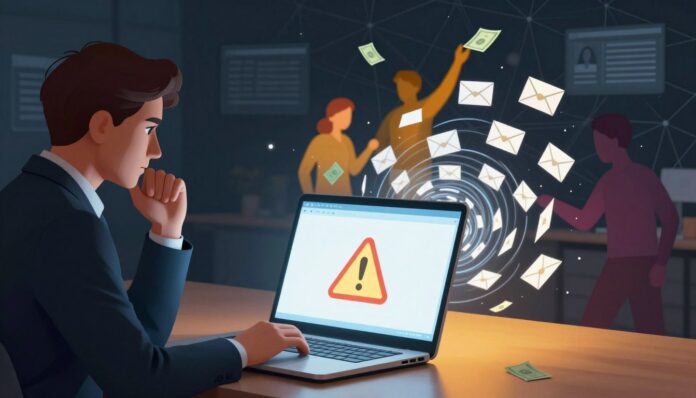
Did you know U.S. losses reported to the FBI topped $16 billion in 2024, while a global estimate hit $1.03 trillion? That scale shows how quickly fraud and deception now touch everyday life.
You face fraud attempts through SMS, email, and social media that aim to steal your money and personal information. Scammers use familiar media and new technology like deepfakes to seem convincing.
This guide gives you clear, plain-language steps to spot a scam fast and stop losses before any payment is made.
You will learn common red flags—urgency, secrecy, and odd payment asks—and simple security habits to reduce risk. The sections ahead cover phishing, social media tricks, romance and investment fraud, and device-level threats.
Take your time to verify requests, use multifactor authentication, and preserve evidence so banks and authorities can act.
Key Takeaways
- Recognize urgency and secrecy as top warning signs of a scam.
- Protect accounts with multifactor authentication and strong controls.
- Verify requests before you send money or share sensitive information.
- Be aware that scammers exploit everyday media and new technology.
- Know where to report fraud and how to preserve evidence.
Why online scams are surging right now
Rising loss numbers and cheaper tools mean attackers strike more people with less effort. Recent reports show the scale: the FBI IC3 logged more than $16 billion in U.S. losses for 2024, while GASA estimated $1.03 trillion globally. Those figures explain why you must stay alert.
Present-day losses and trends
Large payouts and high median losses highlight impact. The FTC found government-imposter cases had median losses near $14,740. The BBB reports that over 40% of consumer reports involve purchase fraud, and about 80% of those victims fall for the trap.
How technology and social platforms amplify threats
Cheap automation, cloned websites, and malware let scammers test messages across emails, apps, and websites. Deepfake crime rose dramatically—APAC saw a 1,500% jump from 2022 to 2023—so fake audio and video boost trust quickly.
Practical takeaway: pause before you click, confirm the sender, and verify a website or company by independent channels. Small checks cut big losses.
How to recognize a scam before you click
A single suspicious message can hide multiple tricks meant to rush you into a bad choice. Pause and use a quick checklist before you act.
Universal red flags
Urgency, secrecy, and pressure are the most common tactics. If a message forces you to act fast or keep it quiet, stop and verify.
Requests to send money, give identity details, or bypass normal channels are major warning signs. Treat unusual payment asks as high-risk.
Language and formatting tells
Poor grammar, odd sender addresses, and mismatched logos often reveal fraud. Hover over links to check the website URL and avoid pages that read “not secure.”
“Never provide codes, passwords, or personal information to a caller or message that you did not initiate.”
Payment red flags
Gift cards, cryptocurrency, and wire transfers lack buyer protection and are hard to reverse. Confirm invoices or delivery notices via the company phone number on its official site.
- Inspect the sender’s email and domain for small misspellings.
- Do not share one-time codes or password resets with any person.
- If a message references a credit or credit card, verify the statement independently.
| Signal | What to check | Action |
|---|---|---|
| Urgency | Threats or countdowns in the message | Pause and call the company using official contact |
| Suspicious link | URL mismatch or strange domain | Do not click; type the website manually |
| Unusual payment | Gift cards, crypto, wire transfer | Refuse and seek alternative verified payment |
Trust your gut. If a message or phone call feels off, stop, document the details, and verify by a second channel before you give any personal information.
online scams: the most common types you’ll encounter today
You’ll meet a handful of repeat fraud types that account for most losses reported in Italy and beyond.
Phishing and smishing try to harvest credentials with convincing email and text messages. Imposter schemes mimic banks, public agencies, or family to force quick payments.
Typical patterns and quick checks
Investment and cryptocurrency pitches promise big returns then vanish. Fake shops and fleeting social stores take payment and never deliver.
“Pause before you pay: confirm a seller or caller by an independent phone number or the company website.”
- Job offers that demand fees or personal data are likely a scam.
- Dating approaches and pig-butchering mix romance with phony investment tips.
- Subscription traps enroll you into recurring billing after a “free” trial.
| Type | Common sign | Quick action |
|---|---|---|
| Phishing | Urgent email asking for login | Do not click; visit official website manually |
| Imposter | Caller asks for payment or codes | Hang up; call known number |
| Purchase fraud | Too-good price; poor reviews | Check seller ID and verified reviews |
AI-powered deception: deepfakes, cloned voices, and realistic messages

Generative tools can produce faces and voices so real you might trust them at first glance.
The FBI warns that generative AI is being abused, and deepfake crime rose over 1,500% in APAC from 2022 to 2023. Scammers now also use AI to write fluent messages and to create fake IDs, profiles, and videos.
Text, image, and video fakes that trick people across apps and media
Treat hyper-realistic video, voice, or headshot content as potentially synthetic, especially if it demands quick or private action.
Look for odd lip-sync, strange lighting, or mismatched backgrounds. Check metadata when you can, and be careful sharing images that contain personal information.
“Accidental” texts and multi-party bot imposter plays
Wrong-number texts often start long cons. Bots can seed a friendly chat that later asks for money.
Verify identity on a second channel before you act. If a caller, video chat, or message seems slightly off, call the official number on the company website.
- Do not follow instructions from an “accidental” text that asks you to transfer money.
- Ask unexpected questions or request a verified in-person or official call.
- Document suspicious messages and report them to platforms so trust teams can act.
| Threat | Sign | Quick action |
|---|---|---|
| Deepfake video | Lip-sync errors, odd lighting | Ask for live verification or an independent call |
| Cloned voice | Familiar tone but odd phrasing | Hang up and call known number |
| AI-written message | Perfect tone, strange request | Verify via other channel and refuse urgent payment |
“Pause and verify: modern AI can mimic a voice or face, but it cannot replace real, verifiable identity.”
Phishing and smishing: email and text message traps
Attackers send billions of deceptive emails and messages each day to trick you into giving up data or money. They copy logos, spoof senders, and build lookalike sites to steal credentials or deliver malware.
Suspicious links, attachments, and lookalike websites
Never click links in an unsolicited email or text message. Type the official URL yourself or use a trusted bookmark to check an account alert.
Examine addresses for small typos and unexpected characters. Attachments can hide malware even when the message looks familiar.
“Treat unexpected files and links as high risk. If you didn’t ask for them, don’t open them.”
OTP bots, QR-code lures, and refund phishing tactics
OTP bots mimic institutions to harvest one-time codes. Treat requests for codes as a hard red line—no legitimate service needs your code from a message.
QR codes can lead to spoofed logins or tiny “verification” payments. Verify the source before you scan and never enter credentials from a flyer or unknown page.
- Use a password manager to spot domain mismatches and unique passwords to limit account takeover.
- Enable non-SMS multifactor authentication or a hardware key to reduce SIM-swap risk.
- Keep device security updated so exploits cannot silently capture your information.
- Record the number, the message content, and the website you were sent to, then report it to your bank and email provider.
| Threat | Sign | Quick action |
|---|---|---|
| Lookalike website | Misspelled domain, odd certificate | Close site; navigate from official site manually |
| OTP bot | Unexpected request for your one-time code | Never share codes; contact institution by known number |
| QR lure | Unverified flyer or message link | Do not scan; type site address or contact support |
Social media scams: fake profiles, giveaways, and marketplace traps
You may see identical comments, stock photos, or brand imitations that reveal a coordinated attempt to trick people.
Verify any person who contacts you. Check for a consistent post history, links to an official website, and presence on other media platforms before you reply.
Treat giveaways and too-good deals as bait until you confirm the brand’s official channels. Never move to private payment methods without proof of legitimacy.
Avoid off-platform payment on marketplaces. Scammers often push irreversible options, then delay or never deliver goods or services.
“Keep messages inside the platform so you retain evidence and access buyer protection.”
Research seller information and independent reviews, not just comments on the listing. Look for recent account creation, repeated stock images, or copied bios as red flags.
- Refuse requests that ask money quickly or to switch to private chats.
- Demand in-platform invoicing and clear return policies before you pay.
- Do not click shortened links in DMs or share sensitive information through messages.
If something feels rushed or hidden, pause and verify on the brand’s verified website or by calling a known number.
Romance and sextortion scams on dating apps and beyond
Profiles that move conversations off the dating app and into private chats can be the first step toward exploitation. Romance schemes often begin with flattery and rapid affection to lower your guard.
Love bombing, investment tips, and requests for personal information
Slow the pace. If a person pushes intimacy, avoids video calls, or quickly suggests private platforms, treat that as a red flag.
Never send money to someone you only know through messages. Unsolicited investment tips are a common hallmark of pig-butchering-style fraud.
Protecting teens and young adults from explicit content extortion
Scammers use stolen or AI-made explicit images to threaten victims. Teach teens to lock privacy settings and never share new intimate photos.
“Stop contact, preserve messages, and report the incident to the CyberTipline and platform support.”
- Reverse-image-search profiles and watch for recycled photos or odd time-zone replies.
- Set family verification words for urgent financial requests and document all messages.
- Do not negotiate or send money; seek help from police and removal services instead.
Employment and job offer scams targeting your personal information

Some recruitment messages mask data-harvesting schemes behind a friendly hiring pitch. Task fraud jumped sharply — reports rose from about 5,000 in 2023 to 20,000 in early 2024 — so you must be cautious when a job sounds effortless or pays fast.
Verify the company before you share personal information. Confirm legal existence, address, and hiring history via the company website and LinkedIn profiles for executives.
Refuse requests for upfront payment for training or equipment. Legitimate employers will not ask you to buy tools, send gift cards, or route your pay through unusual channels.
“Never deposit a large check and return the ‘extra’ — overpayment setups leave you liable when the check bounces.”
- Treat unsolicited job offers with vague duties or quick pay as suspect.
- Avoid moving conversations off-platform or to encrypted apps before verification.
- Insist on a video interview and clear contract terms, including taxes and payment method.
- Document postings and instructions; fraudulent listings often reuse the same details.
| Signal | What to check | Action |
|---|---|---|
| Upfront purchase required | Requests for equipment or training fees | Decline and verify company via official site |
| Overpayment check | Large deposit asking you to return excess | Do not deposit; warn bank and report |
| Non-company email | Personal or mismatched domain | Ask for corporate address and call known number |
Report suspect postings to the job board and tell peers so fewer applicants lose money or expose personal information. Verify every payment method — real employers will not demand crypto or gift cards — and always keep copies of communications and job details.
Government impersonation and company imposter fraud
When someone threatens fines, arrest, or deportation, it can be a pressure tactic to get you to pay without checking facts. These fraud plays often ask for immediate payment by gift card, cryptocurrency, or a wire transfer.
FTC data shows high median losses for government impostors, so treat threats as a red flag. Scammers spoof caller ID and forge email headers to look local or official.
“Trust only your own outbound call to the number on the real agency website.”
Immediate actions to protect yourself:
- Never pay a supposed agency or company with a card or wire transfer from a call or email demand.
- Hang up and dial the official number you find on the real website to verify any claim.
- Record the incoming number, the representative’s name, and any case identifier before you check.
- Keep identity and one-time codes private; agencies do not ask for gift cards or private wallet addresses.
- If you shared data, lock your credit, secure the account, and report the incident to regulators and the platform.
Warn family members so victims do not receive the same script from another impostor using a different number.
Shopping and online purchase scams, including formjacking
Checkout pages can be hijacked to harvest your card details during what looks like a normal purchase.
Watch for cloned websites that mimic big retailers with prices that seem too good to be true. Verify domain age, HTTPS, clear refund policies, and an address or phone number before you enter payment details.
Formjacking redirects a legitimate checkout to a fake page that steals credit card and personal information. Signs include unexpected redirects, extra fields, or mismatched URLs at payment time.
- Use a credit card for stronger dispute rights; avoid bank transfers or off-site payment links.
- Keep browser security extensions active and update regularly to block phishing pages and malware.
- Check order emails for typos or differing sender addresses and verify shipping numbers on the carrier’s official website.
- Read independent reviews and watch for repeated “never shipped” complaints or identical product photos across multiple sites.
Quick rule: never log in from a promotional link—go to the retailer’s official website and protect your account before you pay.
Cryptocurrency and investment schemes that promise guaranteed returns
Crypto offers that promise fixed profits are a red flag; real markets never guarantee gains. In 2024, losses tied to cryptocurrency exceeded $9 billion, and many victims report schemes that mimic exchanges or celebrity endorsements.
Do not trust a guarantee. Check company registration, leadership, and independent audits before you consider any payment.
Scammers often clone support pages and fake chats to collect personal information and KYC documents. OTP bots and SIM-swap attacks can block account recovery while attackers drain funds.
- Refuse wire transfer requests to unknown wallets and never share card photos for “verification.”
- Protect your exchange account with non-SMS MFA and store recovery keys offline.
- Vet any app or trading tool developer and review permission scopes before connecting it to your account.
Watch for forged endorsements: celebrity posts and blue checks can be faked. Verify website domains, whitepaper authors, and audit reports.
“Keep transaction hashes and communication logs—these details help banks and authorities trace transfers.”
| Risk | Sign | Immediate action |
|---|---|---|
| Guaranteed returns | Promises of high, risk-free profit | Reject; verify registration and leadership |
| Fake support pages | Chat windows that request KYC or deposit | Close site; call official contact from verified website |
| OTP bot / SIM swap | Sudden lockout and unexpected MFA requests | Use non-SMS MFA; contact exchange and freeze account |
| Irreversible payment | Requests to send money to private wallet | Never wire transfer; use regulated payment channels |
Grandparent and family emergency scams that exploit urgency

A sudden, panicked call claiming a grandchild is hurt is a classic trick designed to force fast payments. These calls or text message alerts create fear and rush you to act before you can verify facts.
When you get a frantic message, pause. Hang up and call the relative’s known number or reach another family member right away.
Ask questions only the real person would know. Use a family password agreed in advance. That simple step often breaks the scammer’s script.
“Refuse requests that demand secrecy or force you to send money immediately; real emergencies allow time to verify.”
- Do not share codes or courier details; scammers push fast, irreversible payments like cash pickups or crypto ATMs.
- Listen for cues of impersonation: odd background noise, inconsistent details, or a voice that sounds like someone else.
- Document the call time, number, and message text, then report the incident to your bank and carrier.
- Teach older relatives this pattern and add caller labels and spam filters to phones to protect people you love.
Keep calm. Urgency is the scammer’s main tool—verify independently before you hand over money or give personal details.
Holiday and travel scams: seasonal sales, fake charities, and package deals
Holiday seasons bring a surge of fake deals, urgent donation pleas, and travel packages that ask for payment before you can verify them.
Verify seasonal sales on the retailer’s official website and avoid clicking ads that send you to unfamiliar websites with typos. A hurried checkout or strange redirect is a common scam signal.
Donate only through verified charity pages like BBB, Charity Navigator, or CharityWatch and review mission and governance before sending money. If a charity pressures you for immediate funds, pause and confirm.
When booking travel, pay with a credit card to keep dispute rights. Decline package deals that demand you book within minutes or instruct you to use gift cards or wire-like payment methods.
- Cross-check accommodation listings across media sources and map data to confirm a property exists.
- Treat delivery-error notices and customs-fee messages as suspicious; call the carrier on the official phone number.
- Keep receipts, itineraries, and screenshots so you can dispute charges quickly if a vendor fails to deliver.
“Schedule time to research vendors—rushing during holidays raises the chance that people accept fake offers.”
Device-level threats: ransomware, malware apps, SIM swapping, and call forwarding
Ransomware and phone-based attacks aim to lock your data or divert one-time codes to criminals.
Malicious apps can mimic trusted tools and steal credentials or files. QR-code swaps can lead you to spoofed payment portals that capture your card or login.
SIM swapping and hidden call forwarding let attackers intercept codes and calls. A single changed number route can lock you out of an account fast.
Protective steps you can take right now
- Install apps only from official stores; check the developer name and recent reviews to avoid malware.
- Use a PIN on your phone and disable lock-screen previews so codes in messages stay private.
- Prefer non‑SMS multifactor authentication and review account recovery options to reduce SIM swap risk.
- Never dial star-code instructions received by message — call your carrier directly to check forwarding settings.
- Scan QR codes only from trusted sources and verify the URL before entering credentials or approving payments.
- Keep regular backups with at least one offline copy so ransomware cannot destroy every file.
- Use reputable security software, keep OS and browsers updated, and set a port-out PIN with your carrier to protect your number.
“Disconnect if you suspect compromise, run a full scan, change passwords on a clean device, and notify your bank immediately.”
Step-by-step: what to do if you think you’re being scammed
A quick, ordered response after a suspicious contact can protect your accounts and credit. Start by stopping all contact and refusing to send any money.
Stop contact, do not send money, and preserve messages
Stop replying. Save every message, email, screenshot, and transaction detail as evidence. These records help banks and regulators trace the incident.
“Do not forward one-time codes or share card photos — legitimate companies never ask for those over messages.”
Scan devices, change passwords, and lock down your accounts
Run a full antivirus scan if you clicked a link or opened an attachment. From a clean device, change passwords, enable MFA or passkeys, and update recovery email and phone details.
Report to banks, platforms, postal inspectors, and regulators
Call your bank and card issuer using the official number to dispute charges and freeze accounts. File reports with the platform, the BBB, the FTC, and the USPS Postal Inspection Service if mail is involved.
Protect your credit: fraud alerts, security freezes, and monitoring
Place a fraud alert or a security freeze with the credit bureaus and monitor your credit reports for new accounts. Keep reference numbers from every report to coordinate actions across agencies.
- Collect contact details and report IDs from each company and regulator.
- Watch statements closely and notify your bank of any strange withdrawals.
- Tell family not to relay codes to someone else and verify urgent requests by phone.
| Action | What to do | Why it matters |
|---|---|---|
| Preserve evidence | Save messages, emails, screenshots, and receipts | Supports disputes and police or regulator investigations |
| Device scan | Run antivirus and update software | Removes malware that steals information or codes |
| Account lockdown | Change passwords, enable MFA, notify card issuer | Stops further access and reduces identity theft risk |
| Credit protection | Place fraud alerts or freeze files; monitor reports | Prevents new accounts and flags suspicious activity |
Conclusion
Keep a clear routine: verify identities, pause before you pay, and protect devices to reduce risk. These habits stop many scams and limit loss of money and data.
Stay alert on social media and messaging. Treat urgent or guaranteed offers as likely phishing until you confirm by an official channel.
Protect personal information and prefer payment methods with dispute rights, like a credit card. Harden accounts with non‑SMS multifactor authentication and keep software updated.
Save evidence, report attempts, and teach loved ones a family password for quick checks. A steady, practical approach makes you harder to target even as technology enables new fraud.
FAQ
What are the most common warning signs that a message or profile is fraudulent?
Look for urgent demands, requests that you send money or share sensitive data, poor grammar, unfamiliar sender addresses, unexpected attachments or links, and pressure to keep the interaction secret. Scammers often push quick action — pause and verify before you click or reply.
How are criminals using social media and messaging apps to target you?
Fraudsters build fake profiles, post phony giveaways, run marketplace scams, and use cloned accounts to message your contacts. They exploit social platforms to gather personal details, send links with malware, and coax you into wiring payments or buying gift cards.
Which payment methods should raise immediate red flags?
Be wary if someone asks for payment by gift card, cryptocurrency, wire transfer, or an unfamiliar app with no buyer protection. These channels are hard to trace and rarely refundable, which is exactly what scammers want.
How can you spot phishing emails or text messages before clicking a link?
Check the sender’s exact email or phone number, hover over links to preview the URL, avoid opening unexpected attachments, and watch for poor formatting or mismatched branding. When in doubt, contact the company directly using a known phone number or website.
What is smishing and how does it differ from phishing?
Smishing is phishing carried out through text messages. It uses short, urgent messages to trick you into clicking links, sharing login codes, or installing malicious apps. Treat texts from unknown numbers the same way you treat suspicious emails.
How are AI tools like deepfakes and voice cloning changing fraud tactics?
Scammers use AI to create realistic voice, photo, and video fakes that impersonate colleagues, family, or company spokespeople. These tools make impersonation scams and multi-party cons more convincing, so always verify unusual requests by calling a trusted number.
What should you do if someone asks you to send money for a family emergency or grandparent crisis?
Stop and verify. Call the family member on a number you know, ask specific questions only they would answer, and avoid sending funds immediately. Scammers often use urgency to short-circuit verification.
How can you protect your accounts from SIM swapping and call-forwarding attacks?
Use non-SMS multi-factor authentication (authenticator apps or hardware keys), set carrier account PINs, monitor for unexpected call or text loss, and enable strong, unique passwords with a password manager.
What steps should you take if you think you shared personal data with a scammer?
Stop contact, do not send more money, preserve messages and evidence, change passwords, scan devices for malware, notify your bank or card issuer, and place fraud alerts or a credit freeze with the major credit bureaus.
How do you report fraud to get help and reduce harm?
File reports with your bank or card company, the Federal Trade Commission (reportfraud.ftc.gov), the FBI’s Internet Crime Complaint Center (IC3), and the platform where the fraud occurred. If mail or parcels were used, contact the U.S. Postal Inspection Service.
What are buy-now, pay-later and investment offers that commonly turn into fraud?
Unsolicited investment tips promising guaranteed returns, fake trading platforms, and pushy influencers selling get-rich-quick schemes are high risk. For purchases, watch for cloned merchant sites or checkout forms that steal card details (formjacking).
How can you protect teens and young adults from romance or sextortion threats on dating apps?
Teach them not to share intimate images, personal documents, or financial details. Encourage privacy settings, verifying matches via video chat, and reporting suspicious profiles. If extortion occurs, preserve messages and report to platforms and law enforcement.
Are job offers that ask for personal details a red flag, and what should you refuse to provide?
Legitimate employers will not ask for bank account numbers, Social Security numbers, or payment for training up front. Refuse to provide sensitive information until you verify the company and the role through official channels.
How do fraudulent government or company impersonation attempts usually work?
Scammers pose as tax authorities, Social Security, or large companies, claiming you owe money or must verify your account. They pressure you to pay immediately or provide identity documents. Always confirm by contacting the agency using an official phone number or website.
What device-level protections should you enable to lower your risk?
Keep your operating system and apps updated, install reputable security software, back up important data, avoid installing apps from unknown stores, and use strong passcodes. Disable unnecessary permissions and review app access regularly.
If you suspect a fraudulent website, how can you check before entering details?
Verify the URL for typos or odd domains, look for HTTPS and a valid certificate, search for reviews and complaints, and compare contact details with the company’s official site. When possible, buy only from known retailers or marketplaces with buyer protection.
What immediate actions should you take after a ransomware or malware incident?
Disconnect affected devices, preserve evidence, avoid paying ransoms, run offline backups if available, use trusted anti-malware tools to scan devices, and consult IT or a cybersecurity professional. Report the incident to law enforcement and your bank if financial data is exposed.



