
Surprising fact: over 50% of Italian internet users say they worry about data tracking, yet many still leave connections unprotected.
You need clear guidance to protect your IP address, traffic, and personal data when you browse, stream, or torrent from Italy. This review compares top virtual private network providers so you can choose one that fits your needs.
We look at real pricing, renewal rates, and hands-on performance. You’ll find ExpressVPN’s streamlined apps and fast servers, NordVPN’s tiny speed loss and post-quantum protections, Surfshark’s unlimited connections, Proton VPN’s privacy focus, and Mullvad’s anonymous signup and flat pricing.
Expect a simple breakdown of privacy, security features, streaming access, and everyday easy use across apps and devices. Practical tips will show how nearby EU server locations help lower latency for Italy-based users.
Key Takeaways
- Compare privacy audits, no-logs policy, and server types to protect your data.
- Check real renewal prices to avoid sticker shock after promos end.
- Review speeds and features for 4K streaming and low-latency gaming.
- Choose providers with the apps and platform support you need.
- Use nearby EU servers to balance speed and access to local catalogs.
Why you can trust this in-depth Product Roundup today
We test tools the way you use them. Our lab runs repeatable checks on common Italian setups so you can see real-world results for speed, security, and streaming access.
How we test VPN speed, security features, and streaming performance
- Repeatable speed tests on WireGuard-based and OpenVPN protocols, including NordLynx and Lightway Turbo, produce consistent numbers. NordVPN showed ~3% average speed loss in 2025; ExpressVPN ~18%; Surfshark ~21%; Proton VPN ~16%; Mullvad ~24%.
- We verify hands-on security features: kill switch, split tunneling, obfuscation, RAM-only servers, and audit-backed no-logs policies to protect your online privacy.
Scoring criteria: privacy security, usability, and value for money
Scores weigh privacy security, streaming reliability, app ease, and true renewal costs. That mix helps you pick a provider that fits how you use the internet in Italy.
Test context: device mix, networks, and server locations
We test Windows, macOS, iOS, Android, Linux, Apple TV, and Fire TV over fiber, mobile hotspots, and public Wi‑Fi. Server checks include nearby EU and long-distance locations to measure handshake time, jitter, and connection success rate.
Best VPN Services: the top picks at a glance
This quick overview lines up coverage, connections, and security so you can match a provider to your needs in Italy.
One quick pick for every need:
- ExpressVPN — reliability, streaming unblocking, and wide US coverage (3,000+ vpn servers in 105 countries; 10 simultaneous connections; ~18% avg speed loss; audited no-logs; 30-day money-back).
- NordVPN — top speeds and pro-level privacy tools (8,000+ servers in 126 countries; ~3% avg speed loss; double VPN, Onion over VPN, RAM-only; 10 connections).
- Surfshark — value and unlimited devices (3,200+ servers in 100 countries; ~21% avg speed loss; Dynamic MultiHop, CleanWeb, macOS split tunneling).
- Proton VPN — privacy-forward and versatile (15,300+ servers in 126 countries; ~16% avg speed loss; obfuscation protocol; Swiss jurisdiction; open-source apps).
- Mullvad — maximal anonymity and flat pricing (724 servers in 49 countries; ~24% avg speed loss; open-source; €5 flat monthly; anonymous signup).
Each entry notes core specs like server locations, connection limits, and typical speed impact so you can judge whether coverage or privacy matters more for your internet use. Refund windows are noted—30 days for most providers, 14 for Mullvad—so you can test a vpn service risk-free.
ExpressVPN review: privacy leader with excellent streaming support
Recent protocol upgrades pushed ExpressVPN toward steadier throughput and stronger privacy guarantees. You get pragmatic gains for 4K streaming and video calls after Lightway Turbo and OpenVPN Data Channel Offload.
Speed tests and Lightway Turbo performance
Our speed tests show an 18% average internet speed loss overall. Lightway Turbo cut previous losses dramatically—down from ~40% to ~17% in early 2025—so vpn speed is noticeably better on heavy streams.
Privacy, audits, and no-logs policy with TrustedServer
ExpressVPN uses TrustedServer RAM-only tech and a verified no-logs policy. Independent audits (23 since 2018) include KPMG’s 2025 review that confirmed systems follow the published policy.
Apps, user experience, and streaming services unblocked
The vpn app is polished and simple to use. You’ll find a reliable kill switch and split tunneling on supported platforms. Shuffle IP and post-quantum protections (ML-KEM, WireGuard PQE) add extra security for your traffic.
Pricing, plans, and money-back guarantee
ExpressVPN supports Windows, macOS, iOS, Android, Linux (GUI), Apple TV, Android TV, and Fire TV with 10 simultaneous connections. Pricing is premium ($13/mo; $75 first year; renew ~€100/yr), but a 30-day money-back guarantee lets you test speeds and unblocking from Italy and nearby EU server locations.
NordVPN review: fastest VPN speed and power-user tools
If you value near-native throughput with strong privacy controls, NordVPN is built for fast daily use and advanced configurations.
Performance and protocol choices
NordLynx delivered the quickest results in our speed tests, with an average internet speed loss of about 3% in 2025. OpenVPN was noticeably slower, so you should switch to NordLynx for 4K streaming, large downloads, and cloud gaming.
Security features that matter
NordVPN packs power-user options: a reliable kill switch, split tunneling, double VPN for multi-hop routing, and Onion over VPN for Tor-based traffic. NordWhisper masks VPN traffic as standard HTTPS and RAM-only servers protect volatile data.
Streaming, apps, and everyday use
Unblocking across Netflix catalogs, Amazon Prime, Disney Plus, and BBC iPlayer is consistent. Apps are clear and fast on Windows, macOS, Linux (GUI), iOS, and Android, so you can change protocols and servers quickly while traveling in Italy.
Pricing and renewal notes
Entry prices are attractive ($60 first year; $83 for two years) but renewals can jump to about $140 per year. Disable auto-renew early and consider stacking discounted plans if you want long-term savings.
| Feature | What you get | Why it matters |
|---|---|---|
| NordLynx | ~3% average speed loss | Keeps 4K streaming and gaming smooth |
| Security features | Kill switch, split tunneling, Double VPN, Onion | Protects traffic and supports advanced routing |
| Privacy | RAM-only servers, audited no-logs policy | Limits stored data and strengthens anonymity |
| Streaming | Netflix, Amazon Prime, Disney+, BBC iPlayer | Access region-locked catalogs while abroad |
| Pricing | $60 first year; renews ~$140/yr | Good promo rates; watch renewals and auto-pay |
Surfshark review: budget-friendly with unlimited devices
If you want wide device coverage and simple setup, Surfshark packs a lot into an affordable plan.
Speed and network growth: Surfshark averaged about a 21% speed loss in our tests. FastTrack and the Nexus routing can boost pathing for long-distance links. The network grows from ~3,200 servers toward 4,200 and now includes a 100 Gbps server in the Netherlands to cut congestion.
Privacy and core features: CleanWeb blocks ads and trackers, a reliable kill switch protects your traffic, and Dynamic MultiHop adds layered routing. Split tunneling works on macOS, and the no-logs policy covers routine privacy needs.
Streaming, apps, and use: Streaming is solid for most platforms; try a different server or disable IP rotation if Amazon Prime playback fails. Apps are simple and offer QR login for extra devices, making easy use across phones, TVs, and desktops.
| Feature | What you get | Why it matters |
|---|---|---|
| Connections | Unlimited devices | Secure every device in one household |
| Network | ~3,200→4,200 servers; 100 Gbps NL server | Lower congestion and better peak-time speed |
| Speed tools | FastTrack, Nexus routing | Improves long-distance stability and speed |
| Privacy tools | CleanWeb, MultiHop, kill switch | Blocks trackers, layers routing, stops leaks |
Pricing snapshot: Intro deals start at €48 (15 months) or €60 (27 months); renewals are €79/yr and monthly is about €15.45. Torrenting works for casual use; for heavy transfers pick a nearby high-capacity server. Support is responsive and features roll out quickly.
Proton VPN review: versatile, privacy-first service
Proton VPN pairs audited, open-source apps with Swiss jurisdiction to give you a transparent way to protect traffic and data. It’s a practical choice if you value clear controls and legal safeguards while browsing from Italy.
Obfuscation protocol, open-source apps, and Swiss jurisdiction
Proton VPN’s obfuscation masks VPN traffic as regular HTTPS, helping connections on restrictive networks. The apps are open-source and audited, which supports community review and improved security.
The provider publishes a clear no-logs policy and operates under Swiss privacy law, so you get extra legal protections for your online privacy and address handling.
Streaming performance and day-to-day usability
WireGuard and OpenVPN offer reliable speeds, and the kill switch plus Always-on on mobile reduce leak risk. Streaming has improved — we saw access to tougher catalogs like Netflix Egypt in tests — though availability varies by server and region.
- Pricing: $10/mo, $60 first year, $108 for two years; renews ~$80/yr.
- Free plan: unlimited data but limited streaming and one device.
- Use obfuscation + WireGuard for resilient, faster connections when traveling.
Support and clear documentation make setup simple across Windows, macOS, Linux, iOS, Android, and Fire TV. The 30-day money-back window lets you test local and EU servers for HD streaming and stable connections.
Mullvad review: flat-rate pricing and maximal VPN privacy
Mullvad keeps things deliberately simple: flat pricing, anonymous sign-up, and a tight focus on privacy.
What you get: a €5 monthly fee with no promos, no email required to open an account, and the option to pay cash. Open-source apps and a strict no-logs policy limit data retained about your traffic.
Apps cover major platforms and offer a basic interface plus a reliable kill switch. The network runs 724 servers in 49 countries, which is enough for normal EU travel and steady connections from Italy.
“If privacy is your priority, Mullvad reduces account metadata to near zero while keeping setup straightforward.”
| Feature | What you get | Value | Notes |
|---|---|---|---|
| Pricing | €5/month flat | No renewal surprises | No long-term promos |
| Privacy | Anonymous signup, cash accepted | Minimal personal data | Good for anonymous address handling |
| Network | 724 servers, 49 locations | Solid EU coverage | Not the largest but reliable |
| Performance | ~24% avg speed loss | Fine for browsing and HD use | Streaming access is limited |
Torrenting is allowed on all servers and support docs are privacy-aware. There’s a 14-day refund window so you can test speeds and stability across your devices before committing.
Free VPNs: when to use them and top safe choices
Free options can protect you on public Wi‑Fi without costing a euro, but they come with clear trade-offs.
Proton VPN Free stands out for unlimited data, open-source apps, an audited no-logs approach, a kill switch, and Swiss jurisdiction. It auto-connects to the fastest server, but P2P is blocked and streaming access is limited.
Windscribe Free
Windscribe gives 10GB per month, unlimited devices, and P2P on most servers. It unblocks BBC iPlayer and several Netflix regions, making it the top free pick for casual streaming.
Other free options
- Hotspot Shield Basic: unlimited data and fast free speeds, but it logs some session data and rarely unblocks major streaming platforms like Amazon Prime.
- PrivadoVPN Free: 10GB cap, unblocks US Netflix, HBO Max, and Disney+; Swiss-based policy aids privacy.
- ZoogVPN Free: 10GB, three locations, no reliable streaming.
- TunnelBear Free: 2GB, many locations, now can reach major platforms but data is tight.
| Provider | Data | Streaming | Notes |
|---|---|---|---|
| Proton VPN Free | Unlimited | Limited | Audited, kill switch, no P2P |
| Windscribe Free | 10GB/month | BBC iPlayer, some Netflix | Unlimited devices, P2P allowed |
| Hotspot Shield Basic | Unlimited | None | Fast free speeds, logs some data |
| PrivadoVPN Free | 10GB/month | US Netflix, HBO Max, Disney+ | Swiss policy, solid privacy |
Quick advice: use free tiers for light browsing or travel, check the privacy policy, and switch to a paid plan when you need steady speeds, torrenting, or reliable unblocking of streaming services.
Speed and performance: what our latest tests show
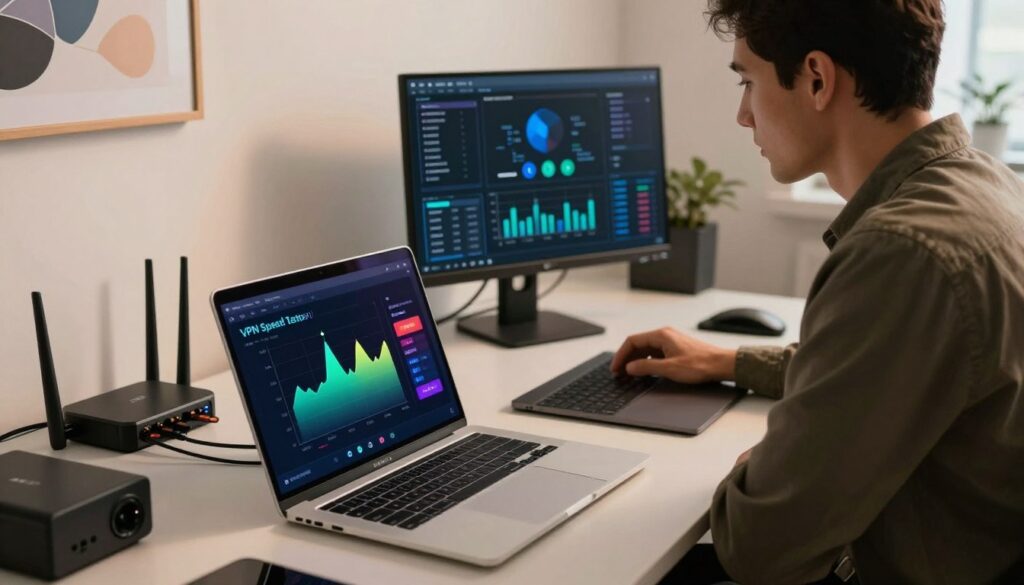
You need to know how much overhead a provider adds; our measurements reveal practical speed impacts across typical Italian setups.
Average internet speed loss across providers
Our latest numbers put NordVPN at the top with a 3% average internet speed loss. Proton VPN recorded 16%, ExpressVPN 18%, Surfshark 21%, and Mullvad 24%.
Local vs long-distance servers and stability
For nearby routes, WireGuard-based protocols like NordLynx and Proton’s WireGuard often hit near-baseline speeds. Long-distance links add latency and jitter, which can hurt streaming and large transfers.
ExpressVPN’s Lightway Turbo and OpenVPN Data Channel Offload have narrowed gaps since early 2025, improving 4K streaming from Italy to US nodes. Surfshark’s FastTrack and new 100 Gbps server focus on reducing congestion on long hops.
Pick nearby EU server locations (Milan, Frankfurt, Paris) for the best balance of speed and stability. Use the app to check real-time server load and switch to lightly loaded vpn servers when you see slowdowns.
Privacy and security features that actually matter
Real trust comes from audits, open code, and clear operational practices. When you pick a tool to protect your connection, look for verifiable claims and practical safeguards that reduce risk for your data and traffic.
No-logs policy and independent audits
Prioritize providers with audited no-logs policy commitments. Independent reviews—like ExpressVPN’s 23 audits since 2018 and KPMG’s 2025 validation—show a provider follows its promises.
Open-source apps and annual audits (NordVPN, Proton VPN) make it easier to confirm operational claims. Jurisdiction matters too: Swiss law adds protections for Proton, while Panama or BVI keep data requests limited.
Kill switch, split tunneling, multi-hop, and obfuscation
A reliable kill switch prevents leaks if a connection drops. Split tunneling lets you route only select apps through the tunnel to save speed on other tasks.
Multi-hop and obfuscation (NordWhisper, Nord’s double VPN, or custom stealth) add layers that help evade blocks and frustrate traffic analysis.
Post-quantum protections and RAM-only servers
Post-quantum measures such as ML-KEM (ExpressVPN) and similar protections from Nord reduce “store now, decrypt later” risk.
RAM-only servers (TrustedServer and fleet-wide RAM designs) erase volatile data on reboot, lowering persistent data exposure on servers and aligning with strong privacy security practices.
Streaming and unblocking: Netflix, BBC iPlayer, Amazon Prime Video
Streaming from Italy can be smooth—but access depends on which provider and which server you pick. Pick a tool that consistently clears geoblocks and keeps speeds high for HD or 4K playback.
Which providers unblock major platforms
Top picks for broad platform access
ExpressVPN and NordVPN consistently unblocked Netflix, Disney Plus, Hulu, Max, and Amazon Prime across devices in our tests. They combine strong apps, multiple server locations, and steady speeds to keep playback reliable.
Surfshark often works well too, though you may need to switch servers or toggle ad-blocking to fix proxy errors. Proton VPN showed wins for tough regions like Netflix Egypt, but results vary by catalog and time. Mullvad focuses on privacy and offers limited streaming support.
Tips to improve streaming reliability when using vpn
- Choose servers in the country that has the catalog you want; nearby EU nodes lower latency for Italy.
- Switch protocols (WireGuard, NordLynx, Lightway) to boost speeds and reduce buffering.
- Disable ad/tracker blockers and clear the streaming app cache after changing regions.
- If 4K stutters, move to a less congested server or check the app’s real-time load indicator.
- Sign out and back into the streaming app after a region change to refresh location data.
Practical note: keep an eye on renewal pricing and support options. A lower-cost plan with unlimited connections can be enough for multi-device households, but a single reliable connection from a provider that targets unblocking may save you time and troubleshooting.
Pricing and value: promo deals, renewals, and refunds

Intro prices may look appealing, but you should plan for what happens after the promo ends. Compare the first-term cost to the renewal rate to avoid surprises.
Typical pricing snapshot
- ExpressVPN: $13/mo; $75 first year; $98 first two years; renews ~$100/yr; 30-day refund.
- NordVPN: $13/mo; $60 first year; $83 first two years; renews ~$140/yr; 30-day refund (disable auto-renew).
- Surfshark: €48 for 15 months or €60 for 27 months; renews ~$79/yr; monthly ~€15.45; 30-day refund.
- Proton VPN: $10/mo; $60 first year; $108 first two years; renews ~$80/yr; 30-day refund.
- Mullvad: €5/month flat; 14-day refund.
Money-back windows and planning
All major providers offer a refund window—30 days for most, 14 for Mullvad—so test speeds, streaming, and server reach from Italy without risk.
“Turn off auto-renew right after signup and set a reminder to review costs before the term ends.”
| What to check | Why it matters | Tip |
|---|---|---|
| Renewal rate | Determines long-term cost | Disable auto-renew; calendar reminder |
| Add-ons & taxes | Increase final checkout price | Factor threat protection or password managers |
| Connections needed | Impacts value for families | Surfshark saves money with unlimited devices |
Server locations and network quality: why it impacts vpn speed
Server choice and network topology directly shape how responsive your connection feels when you browse or stream from Italy.
Distance matters: the closer the server locations are to you, the lower the latency. That reduces page load times, video start delays, and gaming lag.
Network size and load: larger networks with diverse vpn servers spread traffic and limit congestion. Proton VPN (15,300+ servers in 126 countries) and NordVPN (8,000+ in 126) offer many nearby nodes to keep speeds steady.
- ExpressVPN: 3,000+ servers in 105 countries, including all 50 US states — handy for travel and regional content while keeping privacy intact.
- Surfshark: ~3,200 servers (growing to 4,200) with a 100 Gbps node to reduce long-hop bottlenecks.
- Mullvad: 724 servers in 49 countries — compact but privacy-focused and solid for EU use.
For Italy, test EU hubs like Milan, Frankfurt, Paris, or Amsterdam. Use your app’s server load indicators and try different protocols; peering and ISP routing often affect real-world speeds as much as raw server count.
Apps and user experience: easy use across devices
How a provider builds its apps often decides whether setup is quick or frustrating for your household. A clean interface and reliable defaults make daily protection simple, especially when you switch networks or stream from Italy.
Platform coverage
You’ll find polished, stable apps on Windows, macOS, iOS, Android, and Linux with a GUI from top providers like ExpressVPN and NordVPN. Apple TV, Android TV, and Fire TV apps keep streaming smooth on living-room devices.
Browser extensions and router support
Browser extensions (ExpressVPN, NordVPN, Surfshark, Windscribe) speed up region changes for shopping or playback. For whole-home protection, router setup secures smart TVs and consoles and frees device limits on capped plans.
Connection management and advanced features
Look for auto-connect on untrusted Wi‑Fi, server load indicators, favorites, and split tunneling. Make sure the kill switch works across your device list to avoid IP leaks during calls or large downloads.
Open-source and Linux notes
Proton VPN and Mullvad publish open-source apps for extra transparency. If you rely on Linux, prioritize providers that offer a GUI for a less technical user experience.
“Good apps let you balance simple defaults with advanced controls so your privacy and streaming stay reliable.”
Torrenting and P2P: policies, performance, and safety
Torrenting safely requires attention to server choice, app features, and your local network setup. Pick providers and locations that support P2P and keep your traffic encrypted so your ISP can’t read transfer metadata.
Key provider notes: ExpressVPN and Surfshark allow P2P across all servers, which makes setup simple. NordVPN and Proton VPN provide dedicated P2P servers for better stability. Mullvad permits torrenting everywhere and pairs that with strong no-logs privacy.
Always use a reliable kill switch when you use vpn for torrents to avoid accidental IP exposure if a connection drops. For Italy, prefer nearby EU servers (Milan, Frankfurt, Amsterdam) to improve seeding and reduce latency.
- Avoid free tiers for torrenting—many block P2P or throttle speeds; Proton Free, for example, blocks P2P.
- Check port forwarding if your client needs inbound connections; otherwise verify NAT/firewall settings.
- Use split tunneling to keep non-P2P apps off the tunnel and preserve speed for other tasks.
Safety and etiquette: encrypting traffic increases your security, but you must follow local laws and respect content rights. Seed responsibly and scan downloads with antivirus or threat protection to reduce the risk of malicious files.
“Use a tested connection, enable the kill switch, and pick nearby servers to keep transfers private and fast.”
How to choose and use a VPN in Italy
When you pick a provider for use in Italy, you want low latency, reliable unblocking, and transparent policies.
Streaming catalogs, regional servers, and latency considerations
Prioritize providers with strong nearby EU servers — Italy, Germany, France, and the Netherlands — to cut latency for streaming and video calls.
ExpressVPN and NordVPN offer consistent unblocking for Italian and international streaming catalogs. Surfshark is a cost‑friendly choice if you need unlimited connections across devices.
Test several server locations and save favorites in your app. Prefer WireGuard, NordLynx, or Lightway for the best speeds on long sessions.
Privacy norms in the EU and choosing the right policy
EU law gives strong baseline protections, but provider practice matters more. Review audit history, RAM‑only setups, and a clear policy before you sign up.
Proton VPN stands out for Swiss jurisdiction and open‑source apps when privacy is your priority. Mullvad’s anonymous signup and flat pricing appeal if streaming is secondary to minimizing account data.
Always enable the kill switch and auto‑connect on untrusted Wi‑Fi when you use vpn on public networks.
| Provider | Focus | When to pick |
|---|---|---|
| ExpressVPN / NordVPN | Streaming & stability | Reliable unblocking, low latency for Italy |
| Surfshark | Value & unlimited devices | Large households and many devices |
| Proton VPN | Privacy & audits | Strong policies, obfuscation for travel |
| Mullvad | Anonymity & flat price | Minimal account data, EU privacy focus |
Conclusion
Match protocol gains, audited policies, and server proximity to the way you use the internet at home and on the move.
ExpressVPN remains the one best all-round pick for streaming and audited privacy. NordVPN leads on speed and advanced features. Surfshark gives strong value with unlimited connections, Proton VPN focuses on transparency and obfuscation, and Mullvad keeps account data minimal with flat pricing.
Mind renewal pricing and use refund windows to validate speeds, apps, and server reach from Italy. Enable a strong, working kill switch, auto-connect, and modern secure protocols so your traffic and address stay protected across every device.
FAQ
What factors should you consider when choosing a VPN for privacy and security?
Look for a clear no-logs policy backed by independent audits, RAM-only (volatile) server infrastructure, strong encryption (AES-256 or ChaCha20), a reliable kill switch, and protocols that support obfuscation. Also check jurisdiction—countries like Switzerland or Panama often have stronger privacy protections—and whether the provider offers multi-hop, split tunneling, and post-quantum readiness for added protection.
How do you test VPN speed and streaming performance?
You measure baseline internet speed, then run repeated throughput and latency tests connecting to local and long-distance servers. Use real-world tasks like 4K streaming on Netflix and Amazon Prime Video, torrenting, and web browsing to gauge performance stability. Record protocol differences (NordLynx, Lightway, WireGuard) and test on different devices and networks to see practical results.
Can a VPN help you unblock streaming services like Netflix and BBC iPlayer?
Yes, many providers maintain servers optimized for streaming that regularly bypass geo-blocks. Success varies by provider and server, so use apps that list “streaming” or “Smart DNS” options. If you hit trouble, switch servers, clear app caches, or use a browser extension. Keep in mind some platforms update blocking methods often, so reliability can change over time.
Is a free plan safe enough for everyday privacy needs?
Free plans can be safe if provided by a reputable firm that funds a free tier (for example, Proton). But many free offerings limit server choices, speed, and data, or monetize through ads. Avoid unknown free apps that collect data or insert trackers. For regular streaming, torrenting, or high privacy needs, a paid plan usually gives better performance and stronger policies.
How important is server location variety and network size?
Very important. More server locations reduce latency to regional content and improve speed by avoiding congested routes. A large, geographically diverse network also helps when specific countries block addresses. For streaming catalogs and lower lag in gaming or video calls, prefer providers with many nearby and long-distance options.
What security features actually matter for protecting your data?
Prioritize a verified no-logs policy, RAM-only servers, and industry-standard encryption. A kill switch prevents leaks when the connection drops. Split tunneling lets you route sensitive traffic through the VPN while keeping local services direct. Obfuscation helps in restrictive networks, and multi-hop routes add an extra privacy layer.
How do pricing, promos, and renewal rates affect value?
Introductory discounts can make an annual plan very affordable, but check renewal pricing and contract terms. Look for generous money-back guarantees so you can test performance risk-free. Compare included features—number of simultaneous connections, specialized servers, and customer support—when judging value versus cost.
Are some apps better than others for usability across devices?
Yes. Desktop apps for Windows and macOS often offer the richest feature sets, while iOS and Android apps focus on simplicity and battery efficiency. Browser extensions add convenience but usually only protect browser traffic. Check for router support, Fire TV or Apple TV apps if you stream on those devices, and whether the provider offers easy connection management for many devices.
Can you safely torrent while connected to a VPN?
You can, provided the provider explicitly allows P2P on specific servers and offers strong leak protection and a kill switch. Choose servers optimized for torrenting to get better speeds and check the jurisdiction and logs policy to confirm it won’t retain identifying data related to your activity.
What should you know about using a VPN in the EU or Italy specifically?
In the EU, data-retention rules and privacy norms differ from other regions. Use a provider with a transparent no-logs policy and servers near Italy to reduce latency when streaming local catalogs. Obfuscation can help in networks that block VPN traffic, and verify that the provider complies with local privacy standards.
How often should you run speed tests and update connection settings?
Run speed checks whenever you change servers, protocols, or experience streaming buffering. Re-test after app updates or when switching networks. Periodic testing—monthly or when performance feels off—helps you keep settings optimized and spot network issues early.
What customer support should you expect from a quality provider?
Look for 24/7 live chat, responsive email support, and up-to-date knowledgebase articles. Troubleshooting guides, setup tutorials for routers and streaming devices, and clear status pages for outages are helpful. Fast, knowledgeable support minimizes downtime and speeds resolution.



